Construction Industry Email Lists
Search our database of millions of small businesses and reveal verified decision makers.
By signing up, I agree to Coldlytics' Terms of Service and Privacy Policy.

Construction Email Lists for Agencies and B2B Sellers
If you sell to contractors, you already know the hard part is not finding construction companies. It is reaching the person who actually signs off: the owner of the roofing company, the founder of the remodeling firm, the operations lead at a general contractor. A generic info@ inbox rarely gets you there.
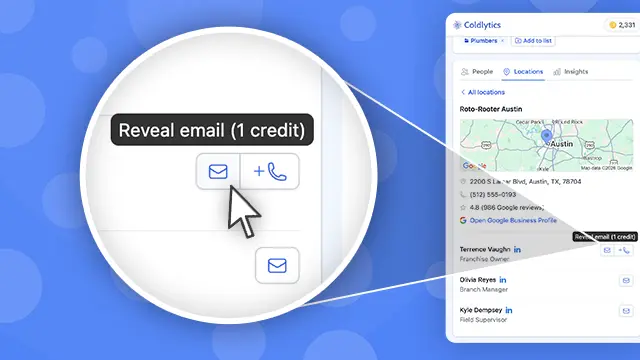
Coldlytics gives you deep data on US construction businesses in Voyager DB, our company database. You can filter by trade, location, headcount, revenue, website signals and more, then reveal verified emails and direct dials for owners and decision makers. When a search needs more depth, you can send it to Contact Research and our team sources fresh contacts for you.
We built this with digital marketing and lead gen agencies in mind, but it works the same for anyone selling into the trades: software vendors, material and equipment suppliers, insurance and bonding brokers, recruiters and financing companies.
How to Build a Construction Industry Email List in Voyager
Here is a real search we ran in the Coldlytics dashboard in October 2026, with the actual numbers and credit costs at each step. The goal: owners and decision makers at mid-sized construction companies around Cincinnati, Ohio.
Step 1: Run a specific search in Voyager DB
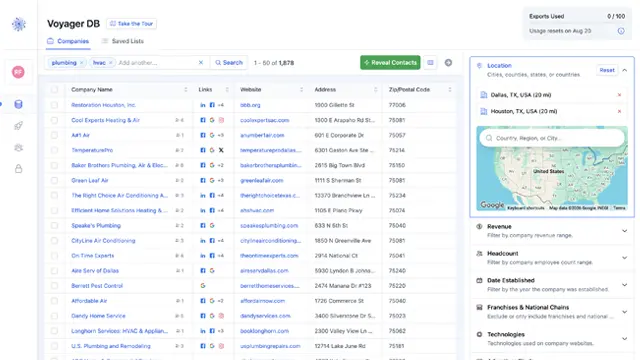
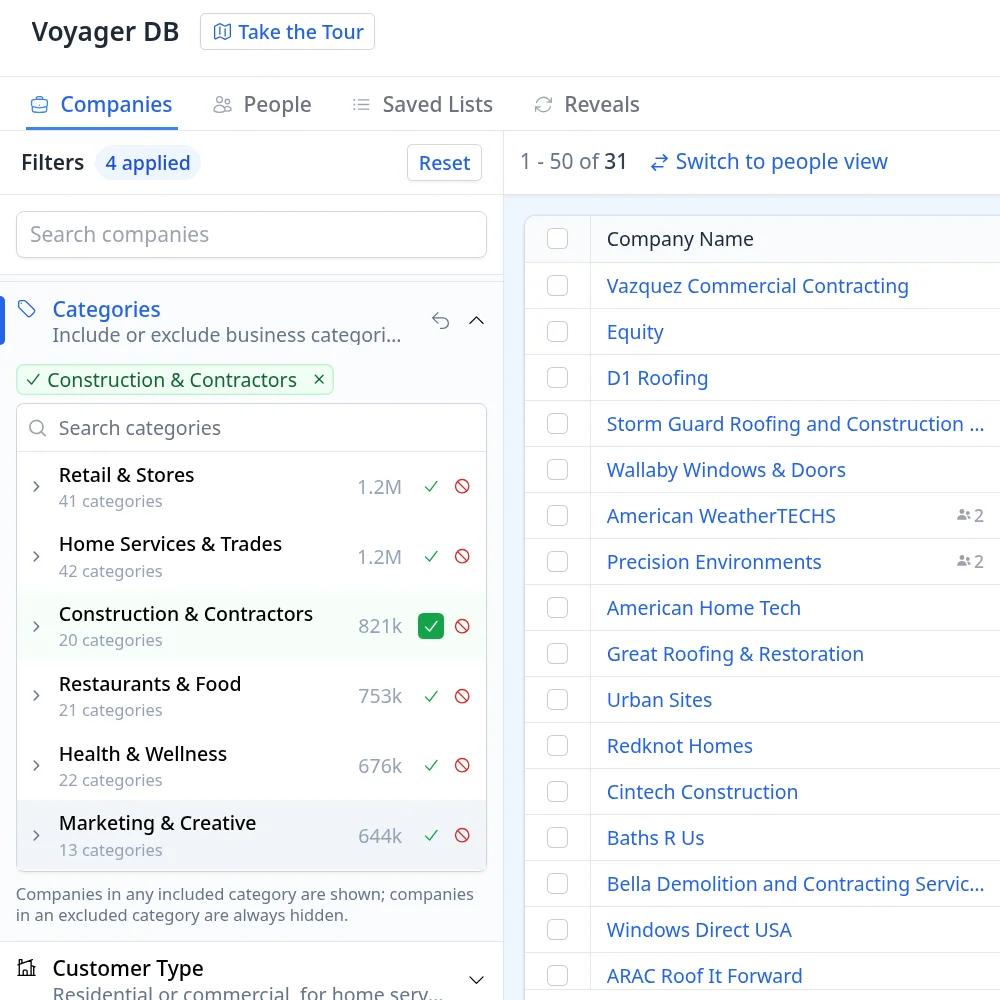
Open Voyager DB and stay on the Companies tab. In the left panel, open Categories and include Construction & Contractors (20 sub-categories, from general contractors to concrete, masonry, excavation and remodeling). Then set Revenue to $5M to $10M and Headcount to 10 to 50.
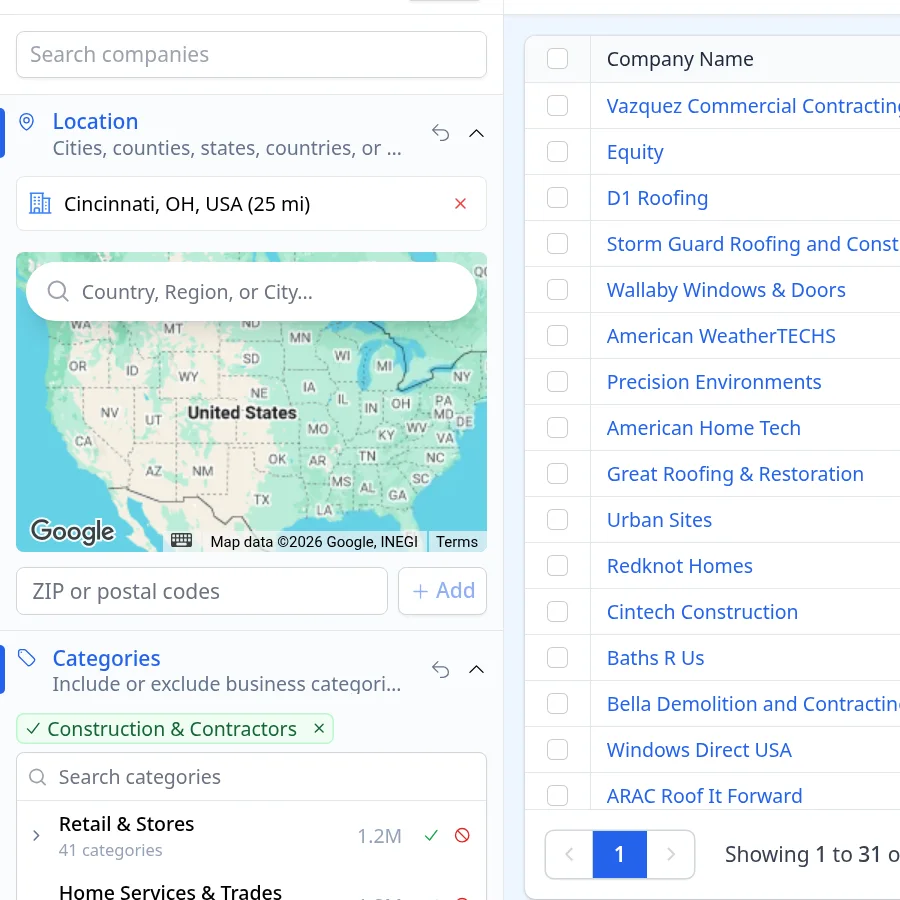
Next, open Location and add Cincinnati, OH, USA with a 25 mile radius.
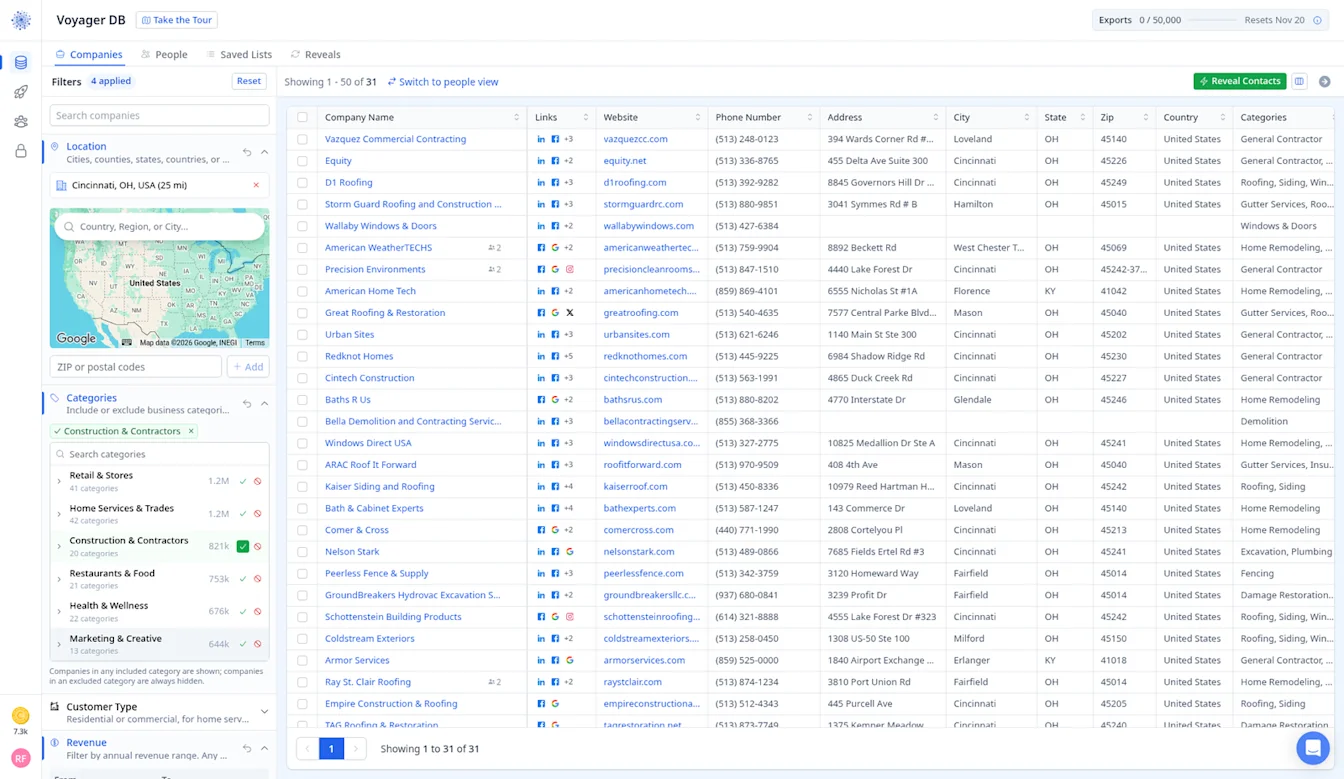
That narrows millions of companies down to 31 that fit exactly, each with its website, phone, address and city so you can sanity check the list first. A tight search like this is where deep data pays off: you only reach the companies that fit your offer, and you only spend credits on the contacts you reveal.
Step 2: Instantly reveal contacts and tag them
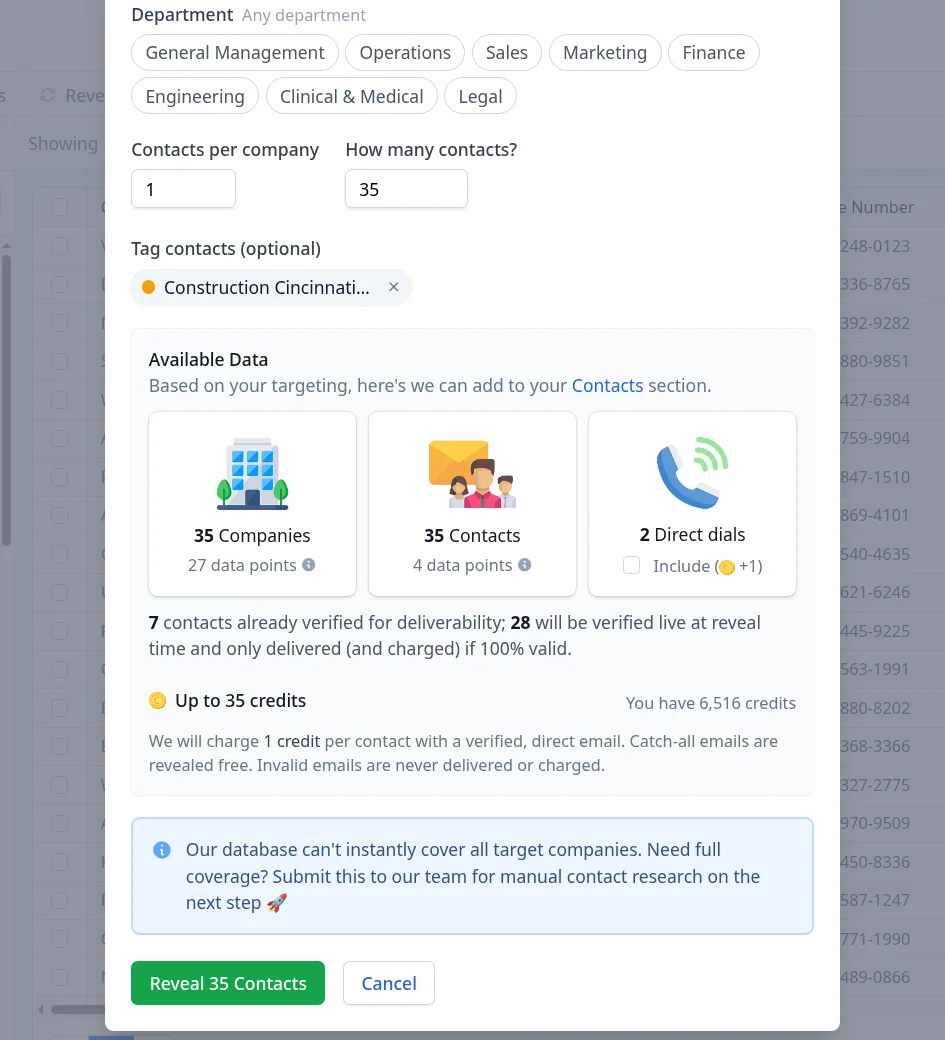
Click the green Reveal Contacts button. In the Instantly Reveal Contacts dialog, pick the Seniority and Department you want (for small contractors, Owners/Founders is usually the right call), set Contacts per company, and enter how many contacts you want in total.
Before revealing, add a tag so the list is easy to find later. Click into Tag contacts to pick one of your existing tags, or type a new name like Construction Cincinnati and create it on the spot.
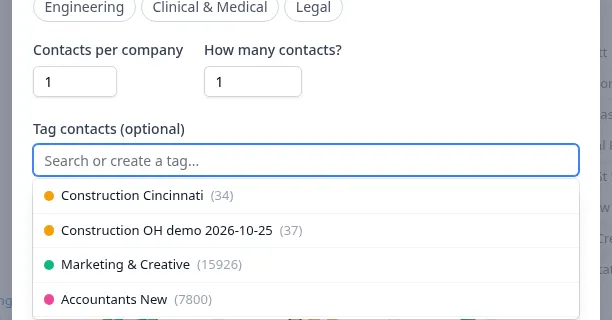
We asked for 500 contacts on purpose. Voyager caps the request at what it can deliver right now, 35 contacts, and shows exactly what you will pay before you click: 7 contacts were already verified for deliverability and 28 more are verified live at reveal time. You pay 1 credit per contact with a verified, direct email, catch-all emails are revealed free, and invalid emails are never delivered or charged. So the most this reveal could cost was 35 credits. The blue banner offers manual contact research for full coverage, which we use in Step 4.
Step 3: Check what was delivered and what it cost
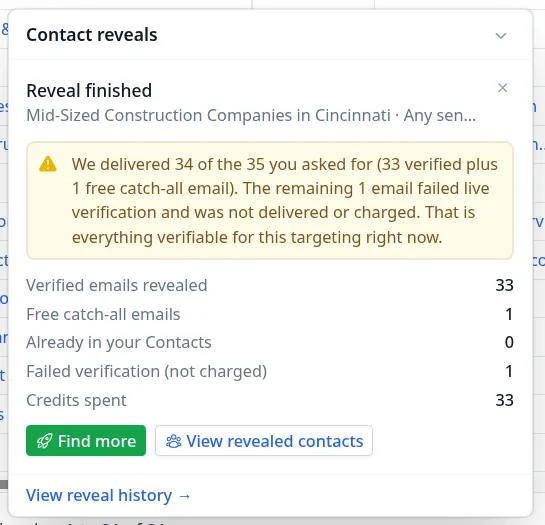
A few moments later the reveal finished. We received 34 of the 35 contacts: 33 verified emails plus 1 free catch-all email. The remaining 1 failed live verification, so it was not delivered or charged. Total cost: 33 credits.
Step 4: Send the shortfall to Contact Research
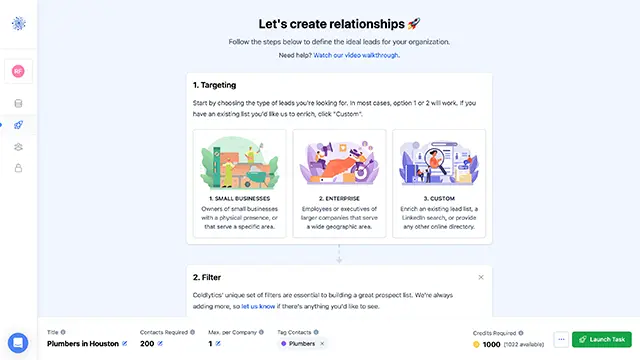
We wanted more than the database could instantly cover, so we clicked Find more in the reveal summary. That opens Contact Research with your search already filled in. In Targeting, choose the Key Decision Makers seniority (we picked Owners/Founders) and, if you like, specific job titles. You can also tick Find new companies beyond my search results and set the location and industry (here Cincinnati, OH and General Contractors), so our team keeps sourcing companies that match, which helps when a tight trade or a smaller market runs thin.
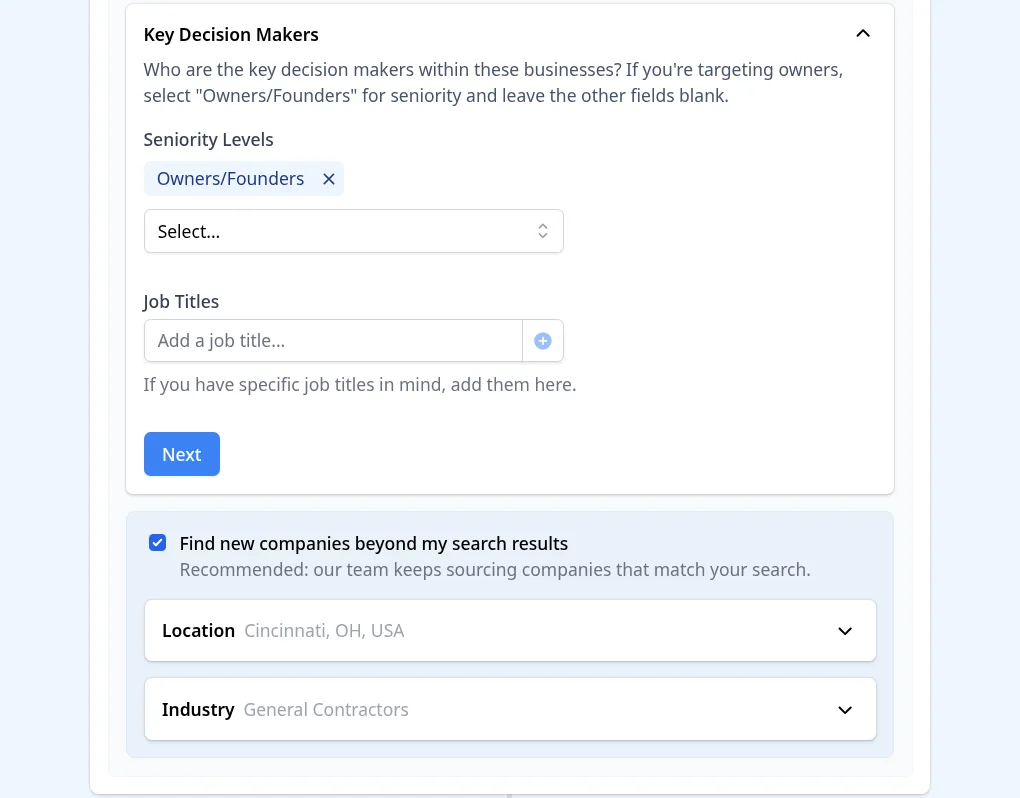
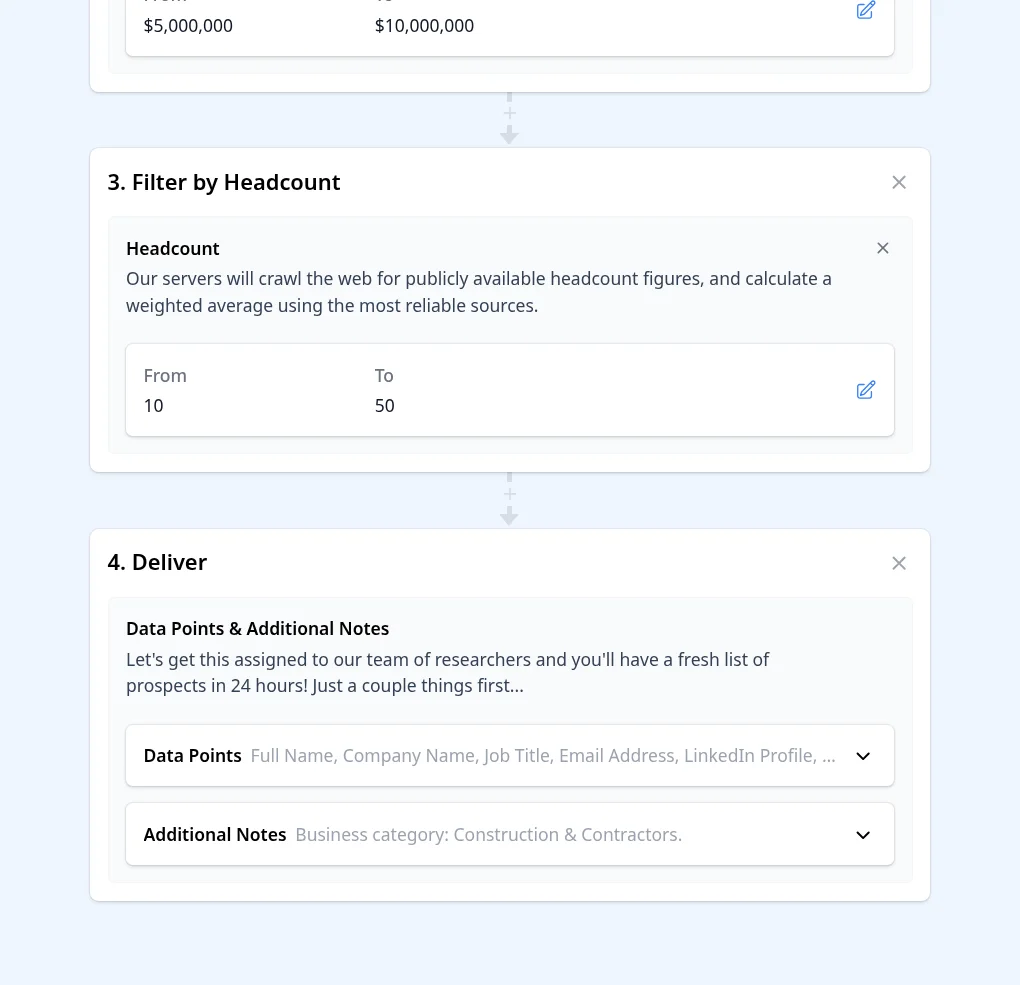
Your revenue and headcount filters carry over as steps of their own. In Deliver, choose the data points you need and add any notes for the research team.
The footer shows the cost before you launch. Here it was 138 contacts at 5 credits each, so 138 x 5 = 690 credits in total.
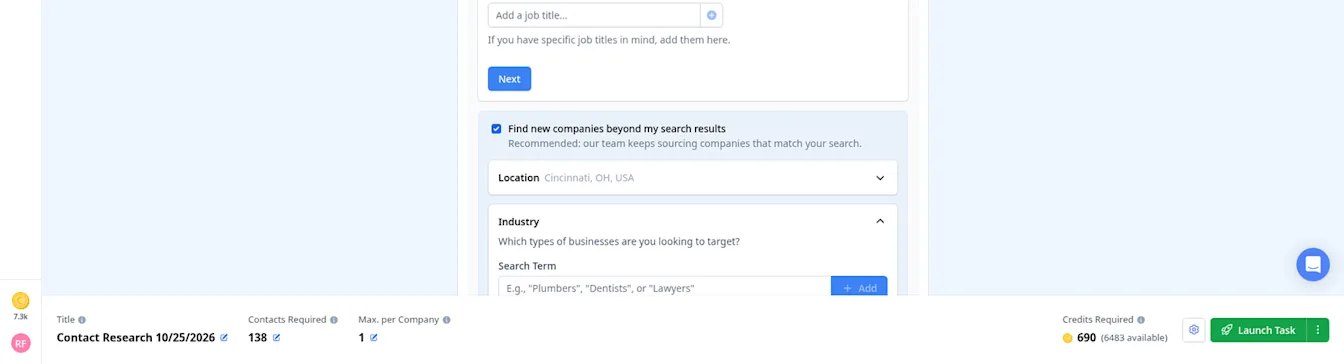
When you are happy, click Launch Task. Researched contacts are delivered to your dashboard, usually within 24 hours on business days.
Step 5: Find your list in Contacts and export it
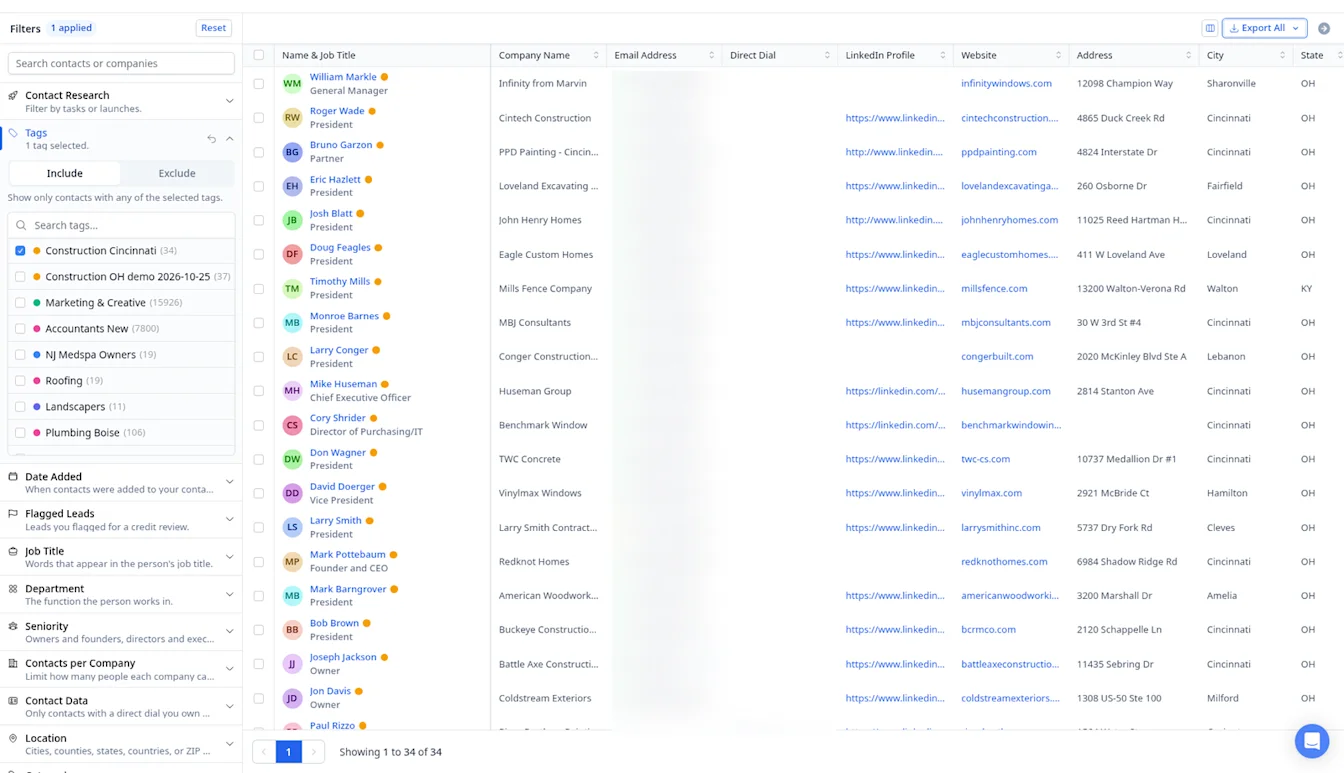
Everything you reveal or research lands in Contacts. Filter by your tag to see just this list, here the 34 contacts from the instant reveal (email addresses blurred in this screenshot).
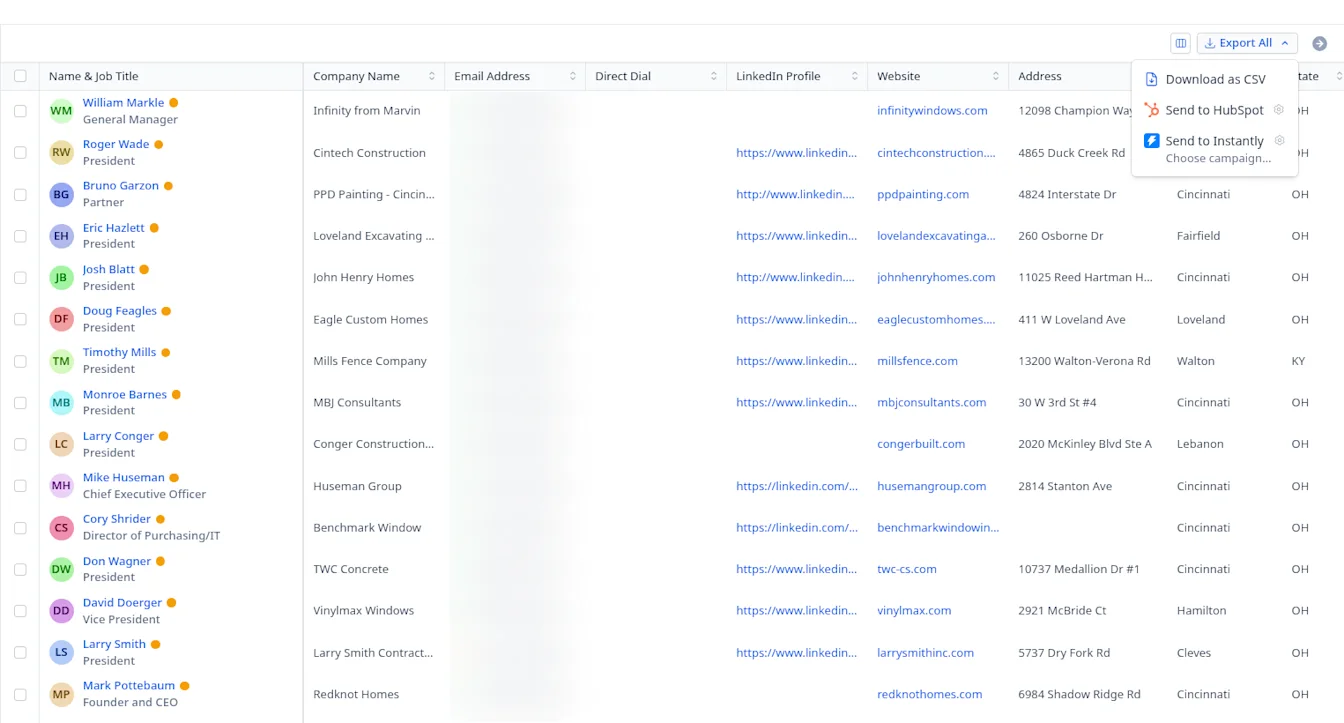
Then click Export All to Download as CSV or send the list straight to HubSpot or Instantly.
Prefer to search people directly? Use the People tab
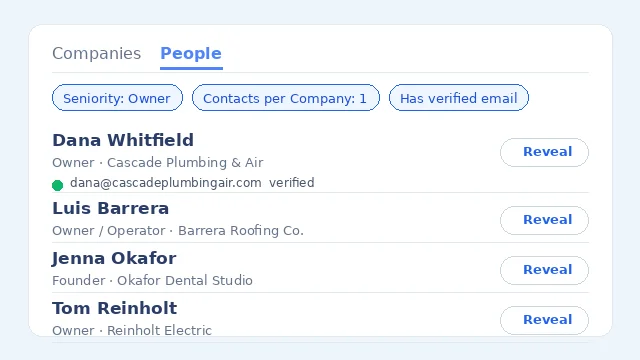
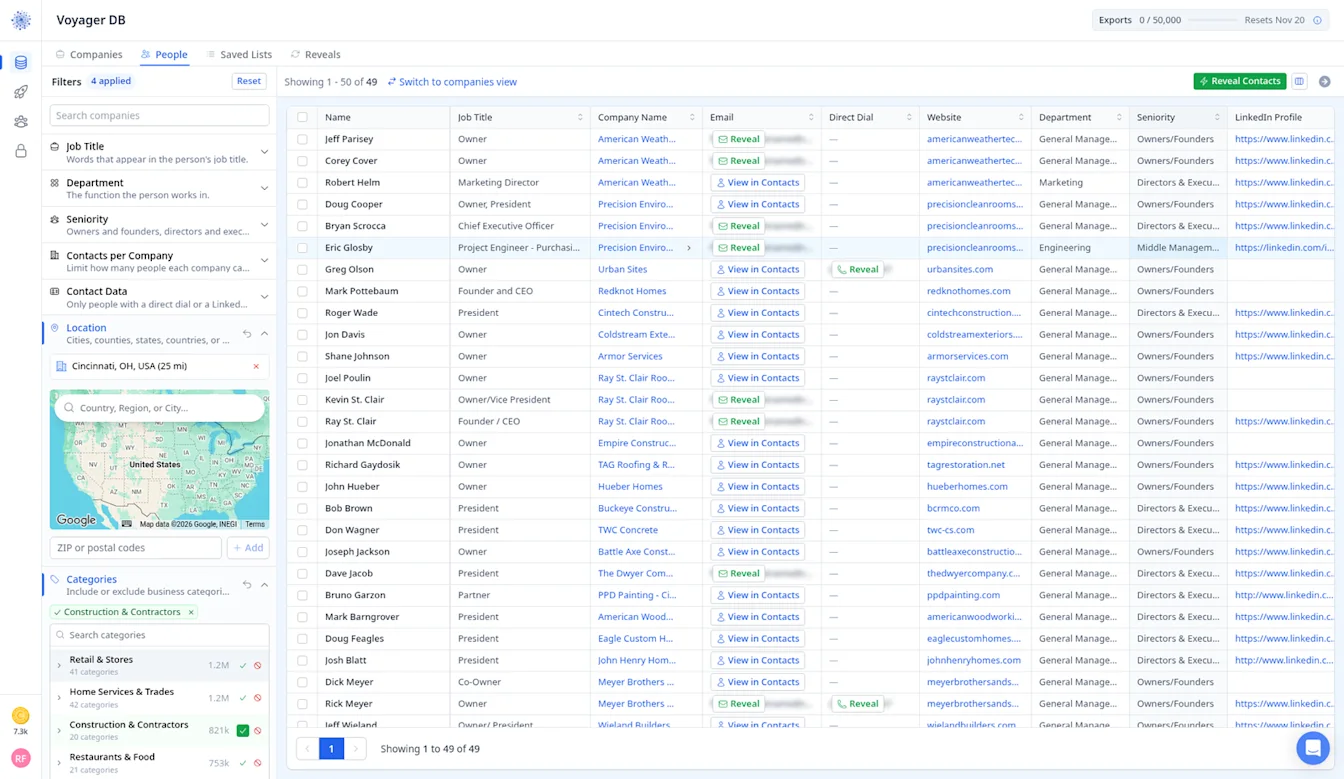
You do not have to start from companies. Switch to the People tab and filter on person-level fields such as Job Title, Department, Seniority, Contacts per Company and Contact Data (for example, only people with a direct dial or LinkedIn profile).
With the same construction, Cincinnati, revenue and headcount filters, the People tab shows 49 people, each with their job title and company, and you can reveal emails and direct dials right from the table.
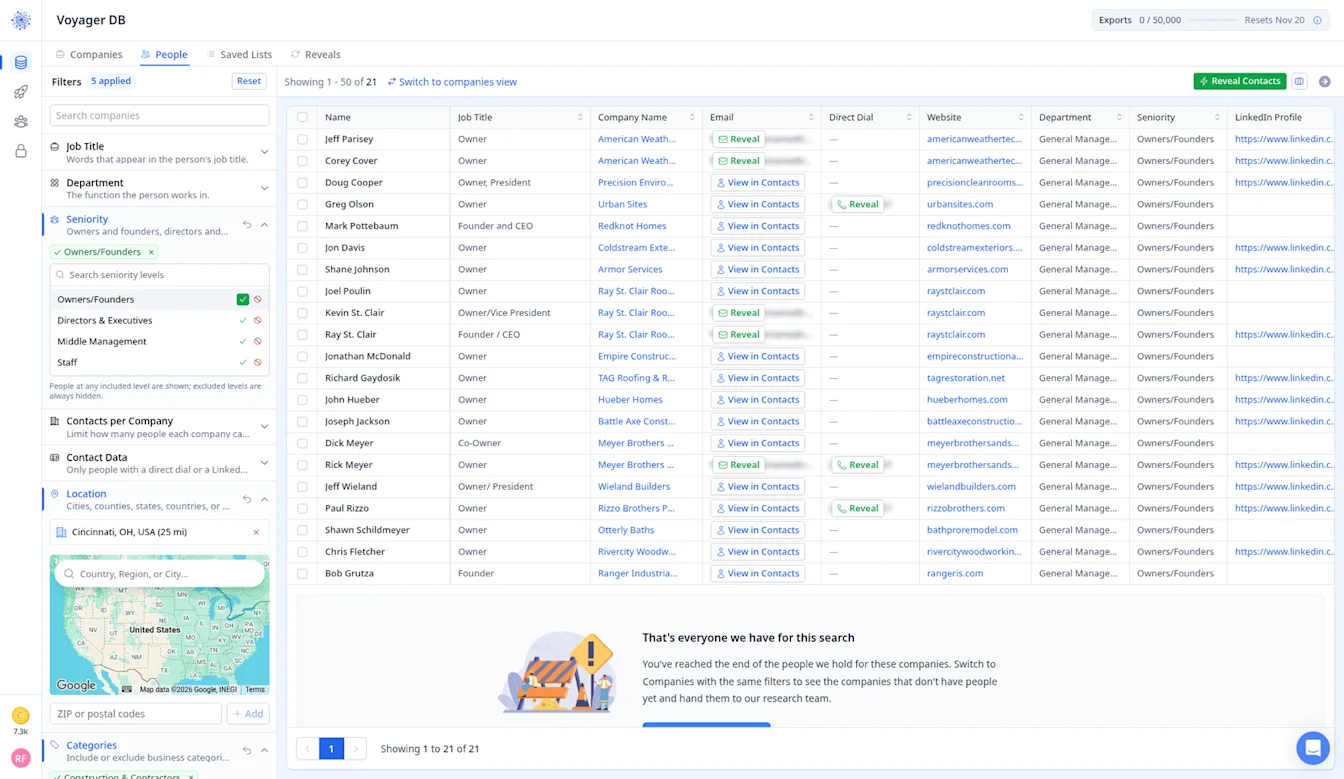
Tick Owners/Founders under Seniority and the list narrows to 21 people, so you can see exactly who you will reach before you reveal anyone.
Construction Email Lists by Trade
Construction is not one market. A roofer and a tile setter buy different things, answer the phone differently and respond to different offers. Here is how we would approach each trade.
General Contractors and Builders Email List
General contractors sit at the center of most projects, so they are worth reaching for almost any construction offer. Smaller GCs are usually run by the owner, while larger firms add project managers, estimators and superintendents. Start with the General Contractor sub-category and use Headcount to separate owner-led shops from firms with a real office team.
Roofing Contractors Email List
Roofing is a competitive, lead-hungry trade, which makes roofers a natural fit for agencies selling SEO, paid ads or lead gen. Most roofing companies are owner operated, so Owners/Founders is usually the only seniority you need. Try layering Advertiser Pixels on top of the roofing category to find roofers who already spend on ads and understand the value of marketing.
Bricklaying and Masonry Email List
Masonry contractors tend to be small, established and referral driven, so a polite, specific first email works better than a hard pitch. Target the owner, and at larger outfits the estimator who prices bids. The Concrete & Masonry category in Voyager covers brick, block and stone work together, so check the categories column to keep the list focused.
Cement and Concrete Contractors Email List
Concrete contractors, ready-mix suppliers and cement businesses range from one-truck crews to regional operations. For suppliers and equipment sellers, owners and operations managers are the people to reach. Revenue and Headcount filters help you separate small flatwork crews from commercial pour specialists.
Excavation Contractors Email List
Excavation and sitework firms run heavy equipment, so they are a strong audience for equipment dealers, fleet and telematics tools and financing offers. Owners often still run jobs themselves, which makes direct dials worth adding. The Excavation sub-category plus a state filter is a simple place to start.
Paving Contractors Email List
Asphalt and paving companies are highly seasonal, so timing matters. Reaching owners before the busy season gives your offer a better chance. Pair the paving category with a regional location filter and keep an eye on Service Offerings to separate residential driveway crews from commercial lot work.
Framing Contractors Email List
Framing crews usually work as subcontractors to builders, so their decision makers are owners and crew leads rather than marketing staff. Offers around labor, scheduling software, insurance and materials tend to fit best. Searching framing within the Construction & Contractors category, then filtering by state, keeps things tidy.
Flooring Contractors Email List
Flooring companies often run a showroom alongside installation crews, so you may find both an owner and a sales or store manager worth contacting. That mix makes them a good fit for agencies offering local SEO and review management. The Google Business Profile filter can surface flooring stores with weak or unclaimed listings.
Tile Contractors Email List
Tile setters are usually small specialty shops, often one owner with a small crew. Keep outreach short and practical. Since tile work overlaps with flooring and remodeling, check the categories column and use Customer Type to focus on residential or commercial work depending on your offer.
Deck Builders Email List
Deck builders depend on a short outdoor season and visual proof of their work, so they respond to offers around photos, websites and booked consultations. Target owners first. Website Quality and Social Profiles filters help agencies find builders whose online presence does not match the quality of their decks.
Fencing Contractors Email List
Fence companies handle a steady flow of residential and commercial quotes, which makes them a good audience for quoting software, call answering and lead gen services. Most are owner led. Combine the fencing category with a city or radius search to build tight, local campaigns.
Window Installation Contractors Email List
Window and door installers often partner with manufacturers and run in-home sales appointments. Owners and sales managers are both worth reaching. If you sell to dealers of a particular brand, the Brands Carried filter in Voyager can help narrow the list.
Kitchen and Bath Remodeling Contractors Email List
Remodelers sell high-ticket projects and care a lot about lead quality, so they are one of the better fits for marketing agencies. Owners, designers and sales leads are the usual contacts. The Home Remodeling category, plus Revenue to find established firms, is a good starting point.
Single Family Home Builders Email List
Residential builders range from custom home builders doing a few projects a year to production builders with sales and purchasing teams. For larger builders, add Directors & Executives and Middle Management in Contact Research to reach purchasing and land acquisition roles, not just the owner.
Start building your construction email list
By signing up, I agree to Coldlytics' Terms of Service and Privacy Policy.