Nonprofit Industry Email Lists
Search our database of millions of small businesses and reveal verified decision makers.
By signing up, I agree to Coldlytics' Terms of Service and Privacy Policy.

Nonprofit Email Lists for Teams Selling to Charities and Churches
Nonprofits and places of worship buy donor software, payment tools, fundraising services, insurance, facilities and marketing. Vendors and agencies use Coldlytics to reach the people who decide: executive directors, presidents, founders and pastors.
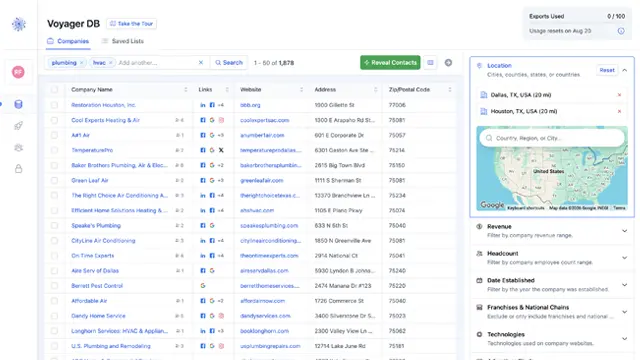
Voyager DB holds deep data on charities, foundations, community groups, churches, retirement communities and more. Filter by category, location and more, then reveal verified contacts. Below is a real search with real numbers.
How to Build a Nonprofit Email List in Voyager
Here is a real search we ran in the Coldlytics dashboard in October 2026. The goal: nonprofits and churches around Richmond, Virginia. We used the Companies tab and did not widen any filter along the way.
Step 1: Run a specific search in Voyager DB
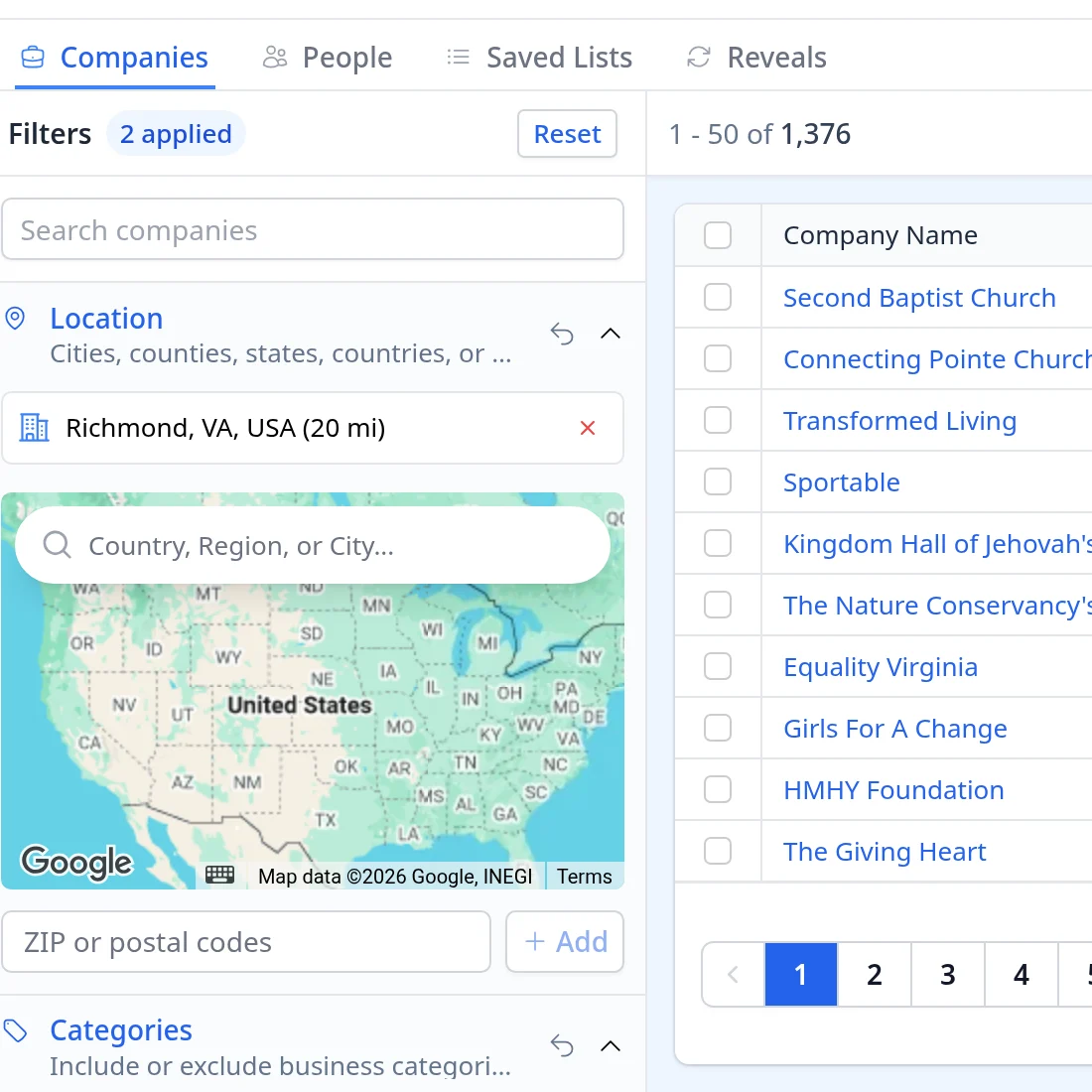
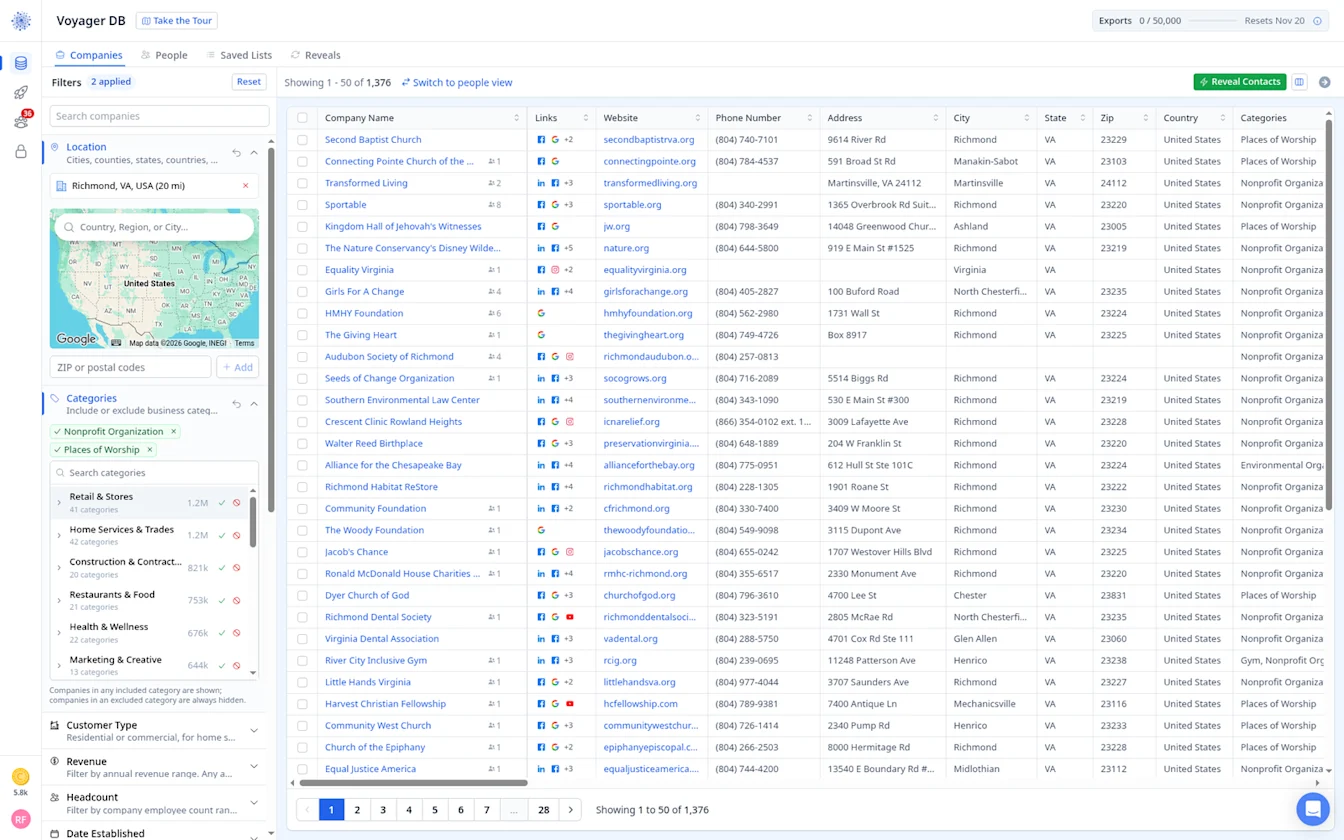
Open Voyager DB, stay on the Companies tab, open Location and add Richmond, VA, USA with a 20 mile radius, which also takes in Henrico, Mechanicsville, Glen Allen and Midlothian.
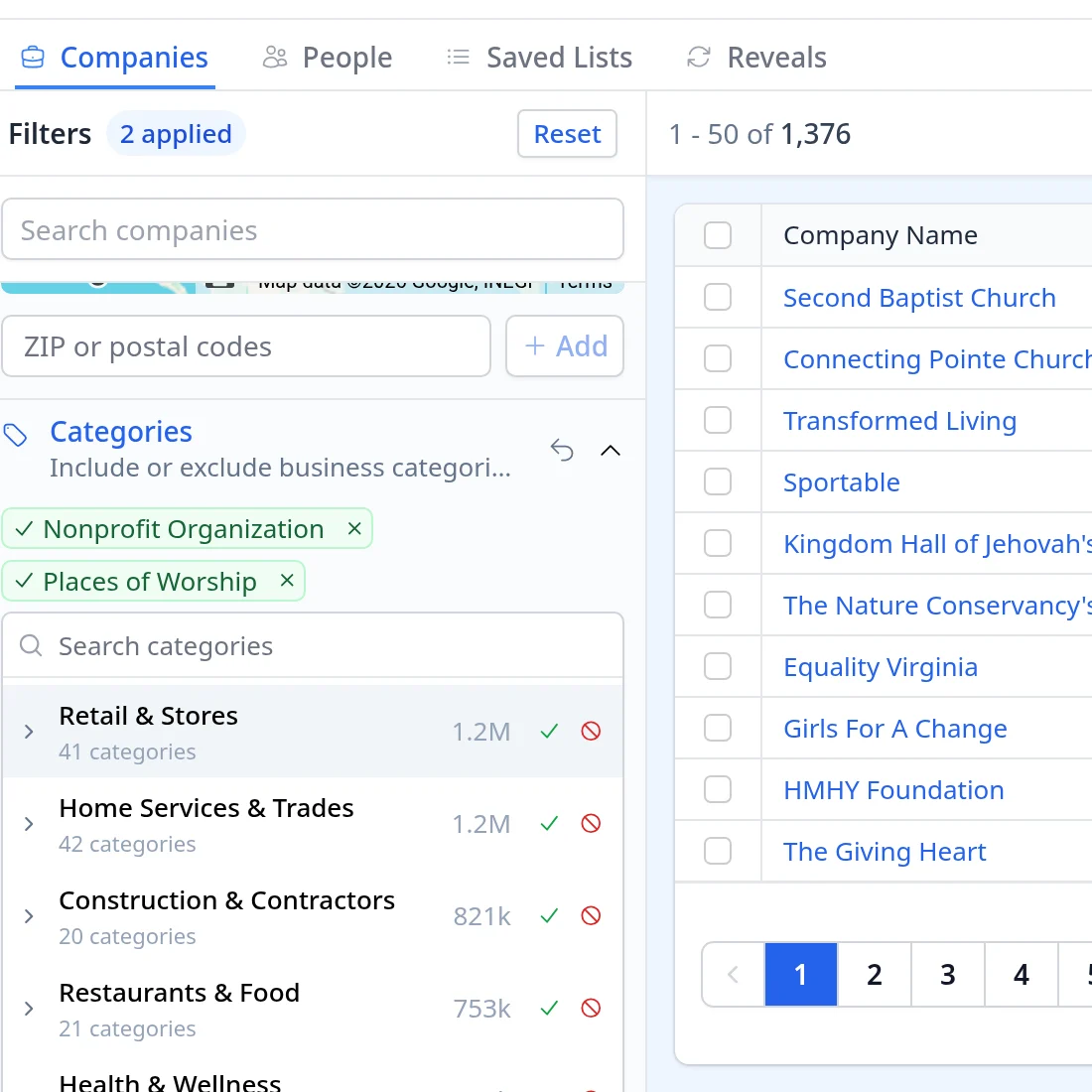
Next, under Categories, include Nonprofit Organization and Places of Worship. The search shows 1,376 organizations.
Step 2: Instantly reveal contacts and tag them
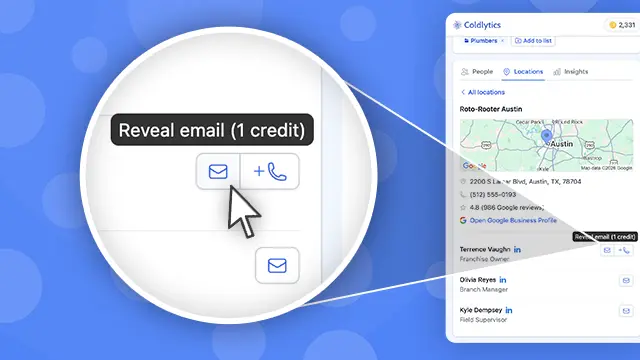
Click Reveal Contacts. We left Seniority and Department open, kept Contacts per company at 1, set How many contacts to 37, and created the tag Nonprofit Richmond. Of the 1,376 organizations, 37 had a contact we could reveal right away, because we had already revealed many of the others. Three direct dials were available, but we left them out.
The cost shows before you click: up to 37 credits. 13 contacts were already verified for deliverability, and the other 24 would be checked live at reveal time.
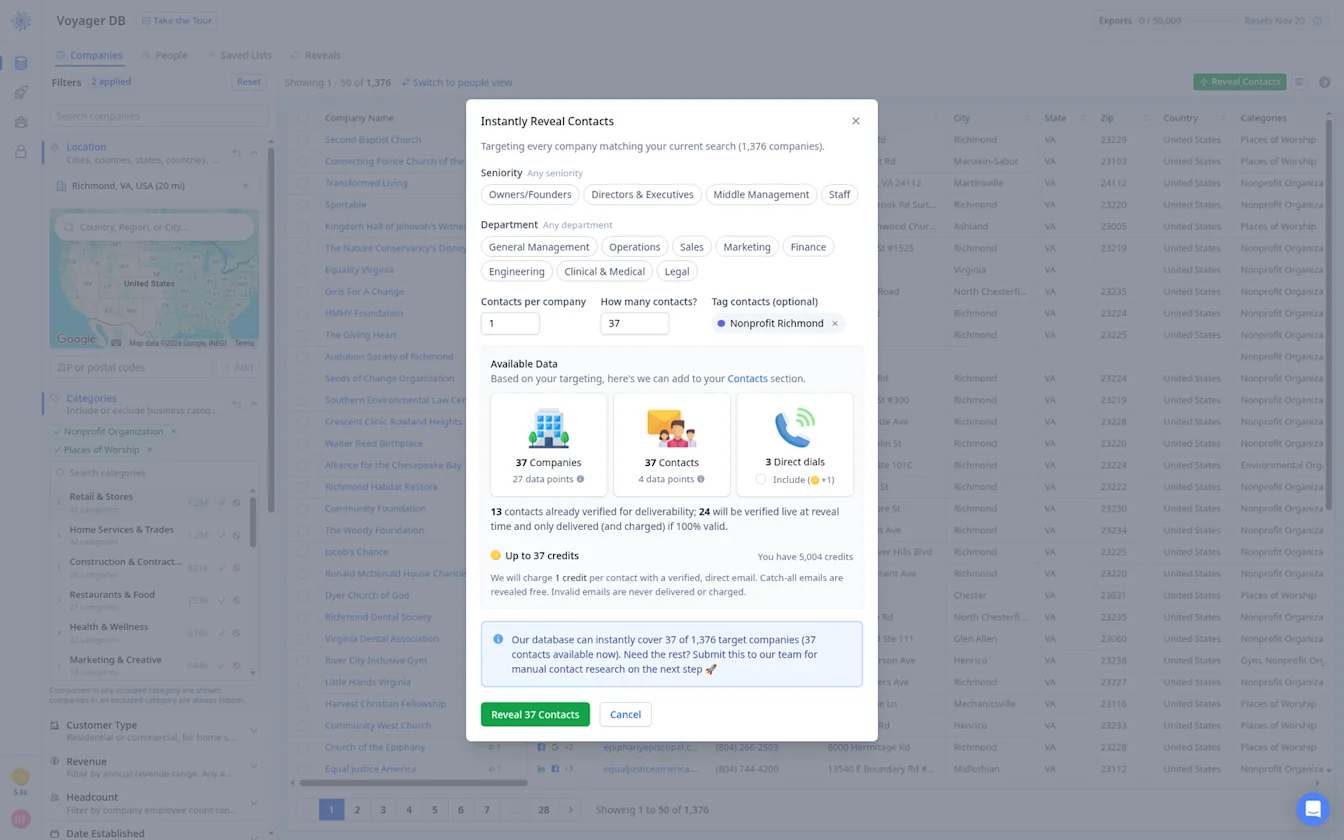
Step 3: Check what was delivered and what it cost
36 of the 37 contacts were delivered, all with verified emails, for 36 credits. One email failed live verification, so it was not delivered or charged.
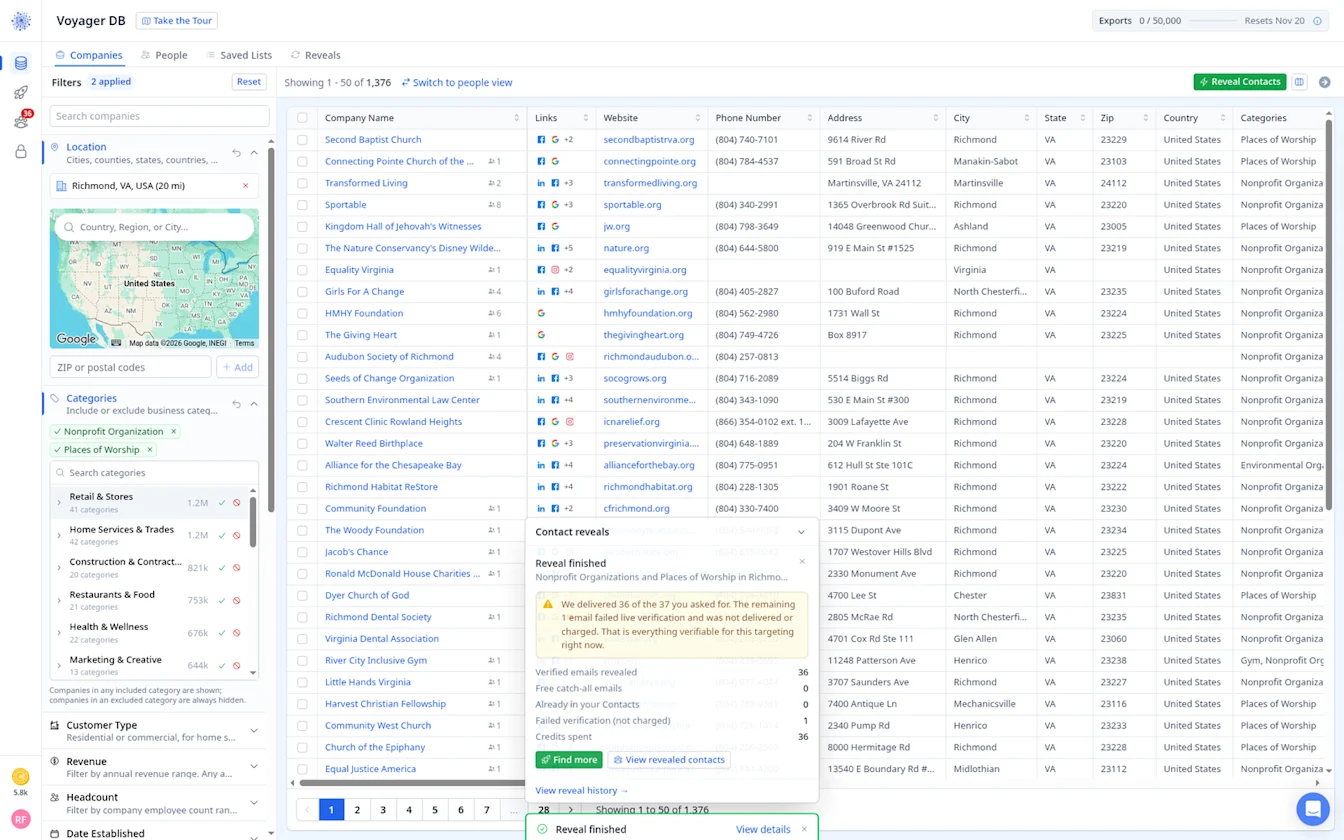
Step 4: Send the shortfall to Contact Research
1,339 of the 1,376 organizations in our Richmond search had no instantly revealable contact yet. For those, Contact Research finds executive directors or pastors for you, priced per contact found.
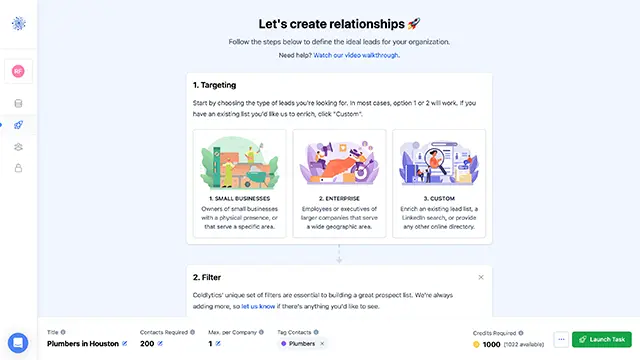
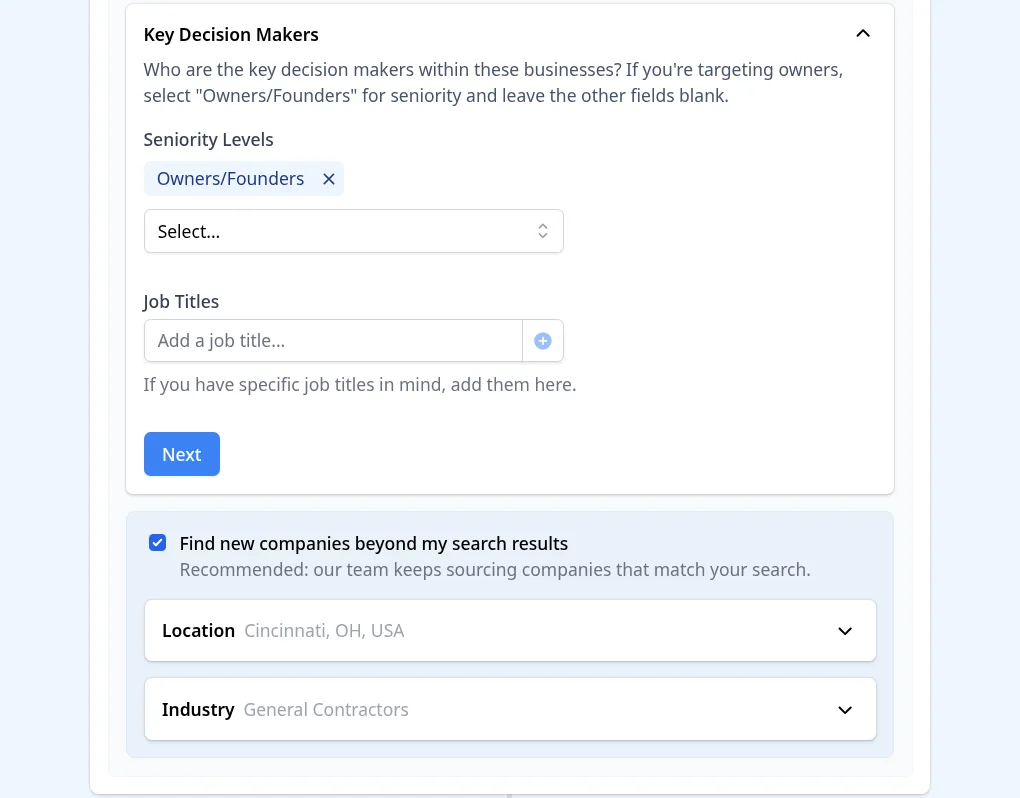
Click Find more in the reveal summary. That opens Contact Research with your search already filled in. In Targeting, choose the Key Decision Makers seniority and, if you like, specific job titles. You can also tick Find new companies beyond my search results and set the location and industry, so our team keeps sourcing companies that match when a smaller market runs thin. The screenshots below are from our construction search, but the steps are the same.
In Deliver, choose the data points you need and add any notes for the research team. The footer shows the cost before you launch, at 5 credits per researched contact.
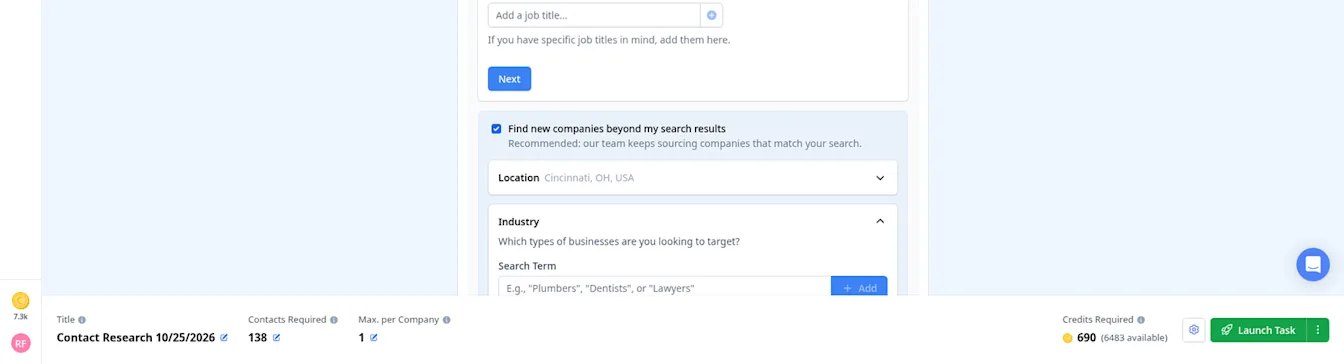
When you are happy, click Launch Task. Researched contacts are delivered to your dashboard, usually within 24 hours on business days.
Step 5: Find your list in Contacts and export it
Everything you reveal or research lands in Contacts. Filter Contacts by Nonprofit Richmond and you get the 36 contacts: pastors, executive directors, presidents and founders. Emails and direct dials are blurred in the screenshot below.
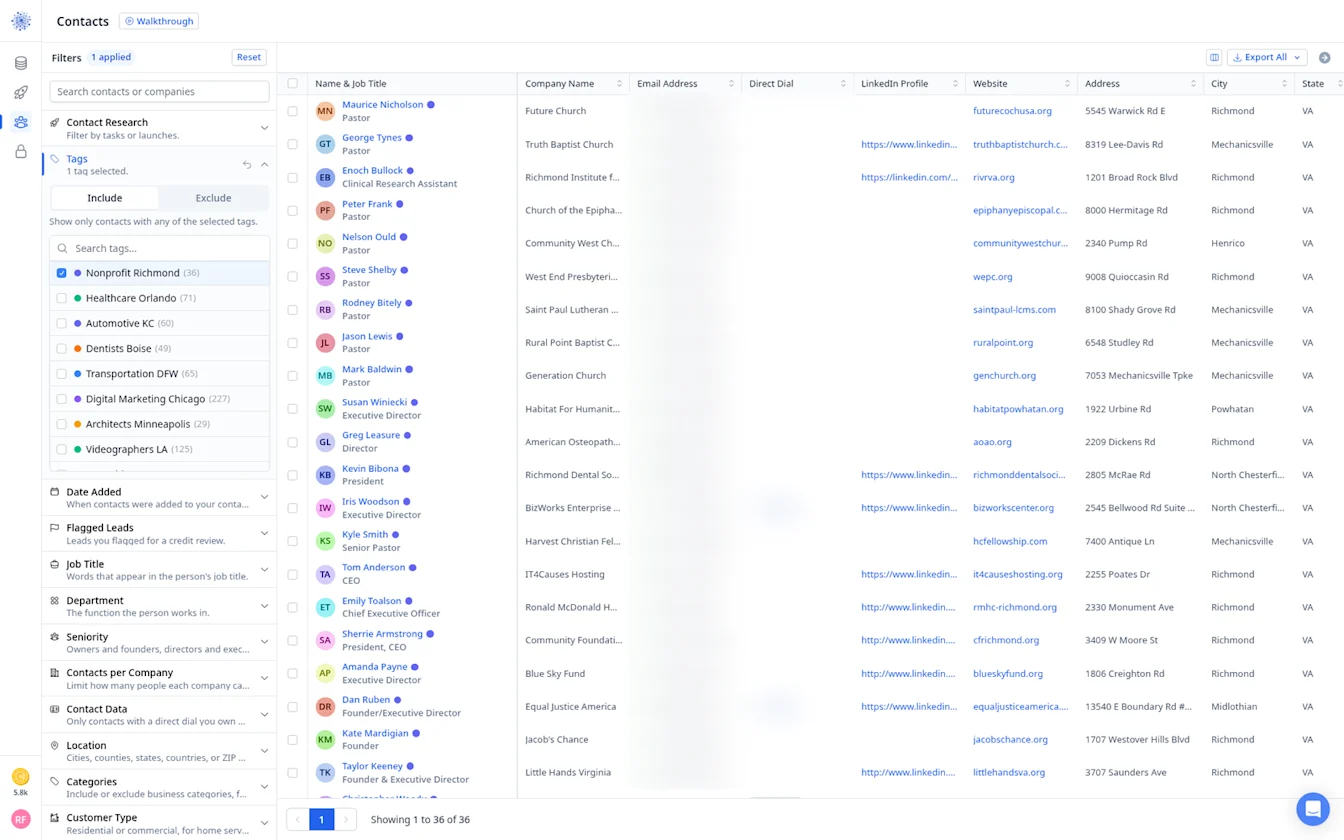
Then click Export All to Download as CSV or send the list straight to HubSpot or Instantly.
Prefer to search people directly? Use the People tab
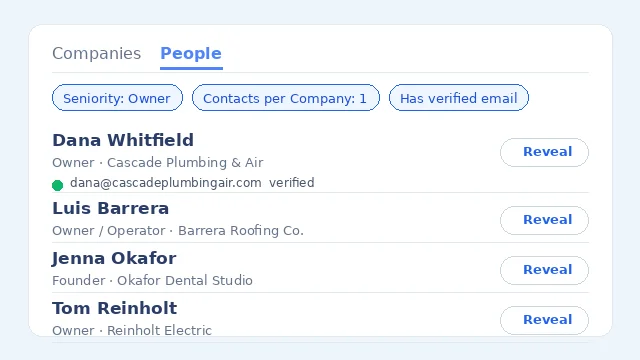
You do not have to start from companies. Switch to the People tab and filter on person-level fields such as Job Title, Department, Seniority, Contacts per Company and Contact Data (for example, only people with a direct dial or LinkedIn profile).
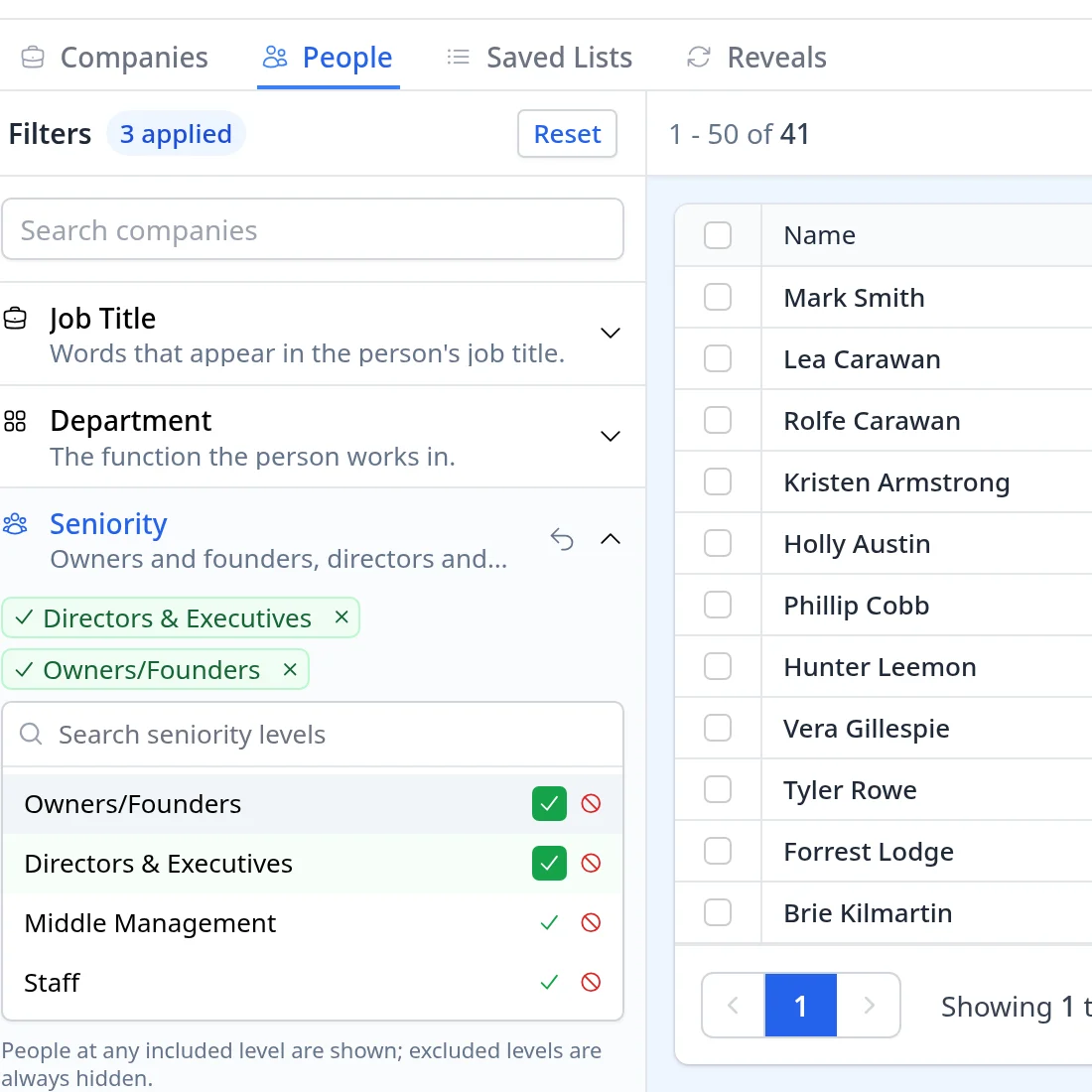
With the same Nonprofit Organization, Places of Worship and Richmond filters, plus Owners/Founders and Directors & Executives under Seniority, the People tab shows about 41 people, each with their job title and company, and you can reveal emails and direct dials right from the table.
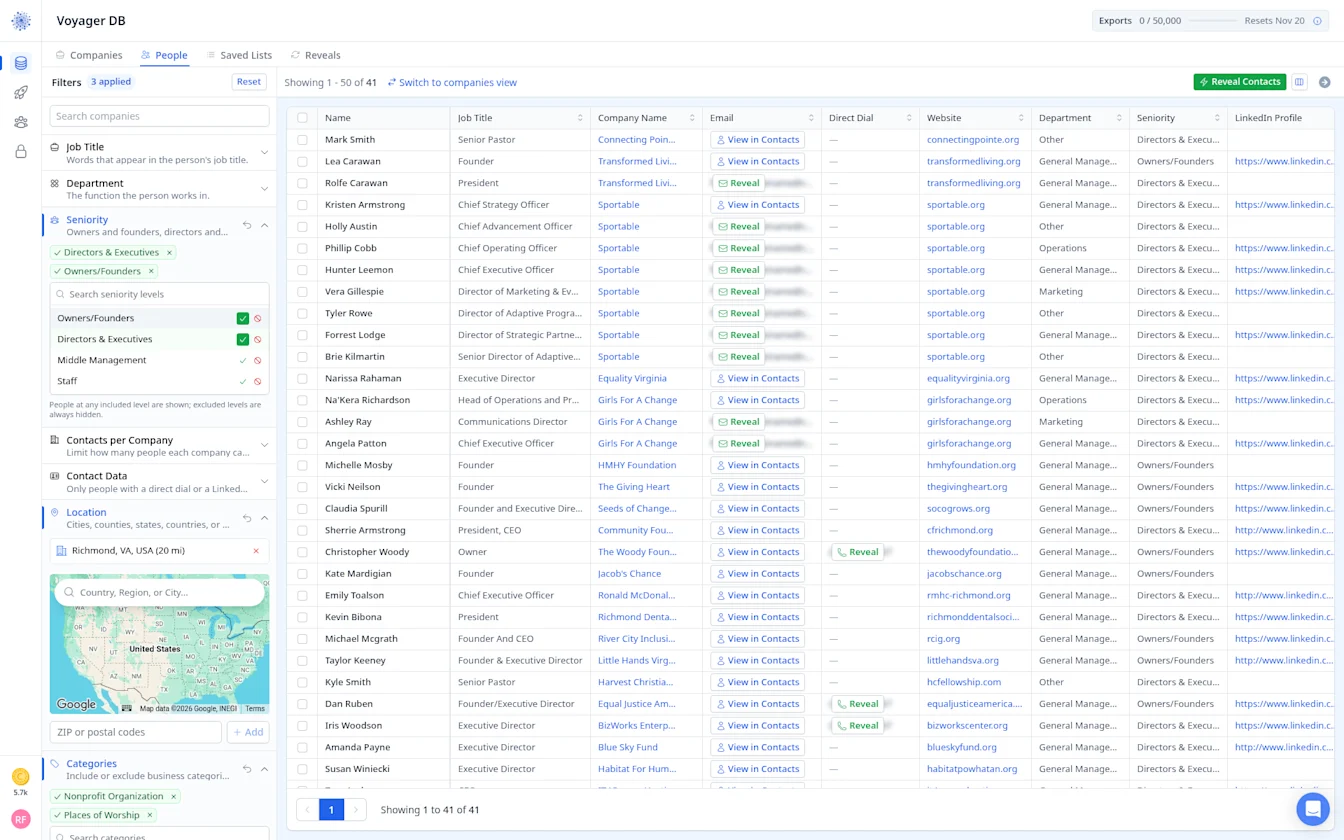
That way you can see exactly who you will reach before you reveal anyone.
Nonprofit Segments
Nonprofit Organizations Email List
Nonprofits buy donor, fundraising and volunteer tools. Executive directors and development directors are the contacts that matter most. Revenue helps you focus on organizations with real operating budgets.
Churches and Pastors Email List
Churches are led by senior pastors, with executive pastors or administrators handling operations at larger congregations. Headcount separates small churches from multi-campus ones.
Retirement Communities Email List
Retirement and senior living communities have executive directors, sales and marketing directors and activity coordinators. Locations & Franchises splits independents from operators with many sites.
Funeral Homes Email List
Funeral homes are often family owned, with an owner or funeral director making every decision. A state or metro filter keeps the list regional. They respond to preneed, software and marketing offers.
Economic Development Organizations Email List
Economic development agencies and public programs buy formally. Directors and program managers are the right contacts. Search by state to match the region you serve.
Start building your nonprofit email list
By signing up, I agree to Coldlytics' Terms of Service and Privacy Policy.