Retail Industry Email Lists
Search our database of millions of small businesses and reveal verified decision makers.
By signing up, I agree to Coldlytics' Terms of Service and Privacy Policy.
Retail Industry Email Lists Built Around Real Stores
Retail is huge and wildly varied. A corner convenience store, a downtown boutique and a regional supermarket chain all count as retail, but they buy differently and listen to different pitches. A single generic retail list rarely works for any of them.
Coldlytics lets you build the list you actually need. Voyager DB has deep data on US retailers, organized into store types, with filters for location, size, number of locations, website quality and more. Find the stores that fit your offer, then reveal the owners and managers behind them.
Agencies use these lists to sell local SEO, ads, POS integrations and loyalty programs. Suppliers and distributors use them to open new accounts. Software vendors use them to reach e-commerce founders.
How to Build a Retail Email List in Voyager
Here is a real search we ran in the Coldlytics dashboard in October 2026. The goal: owners of small, independent clothing stores and gift shops across the Charleston, South Carolina area.
Step 1: Run a specific search in Voyager DB
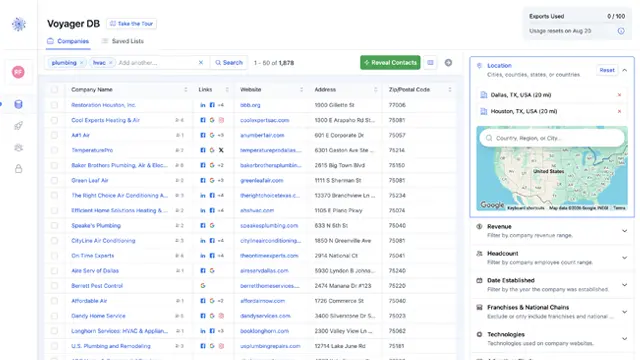
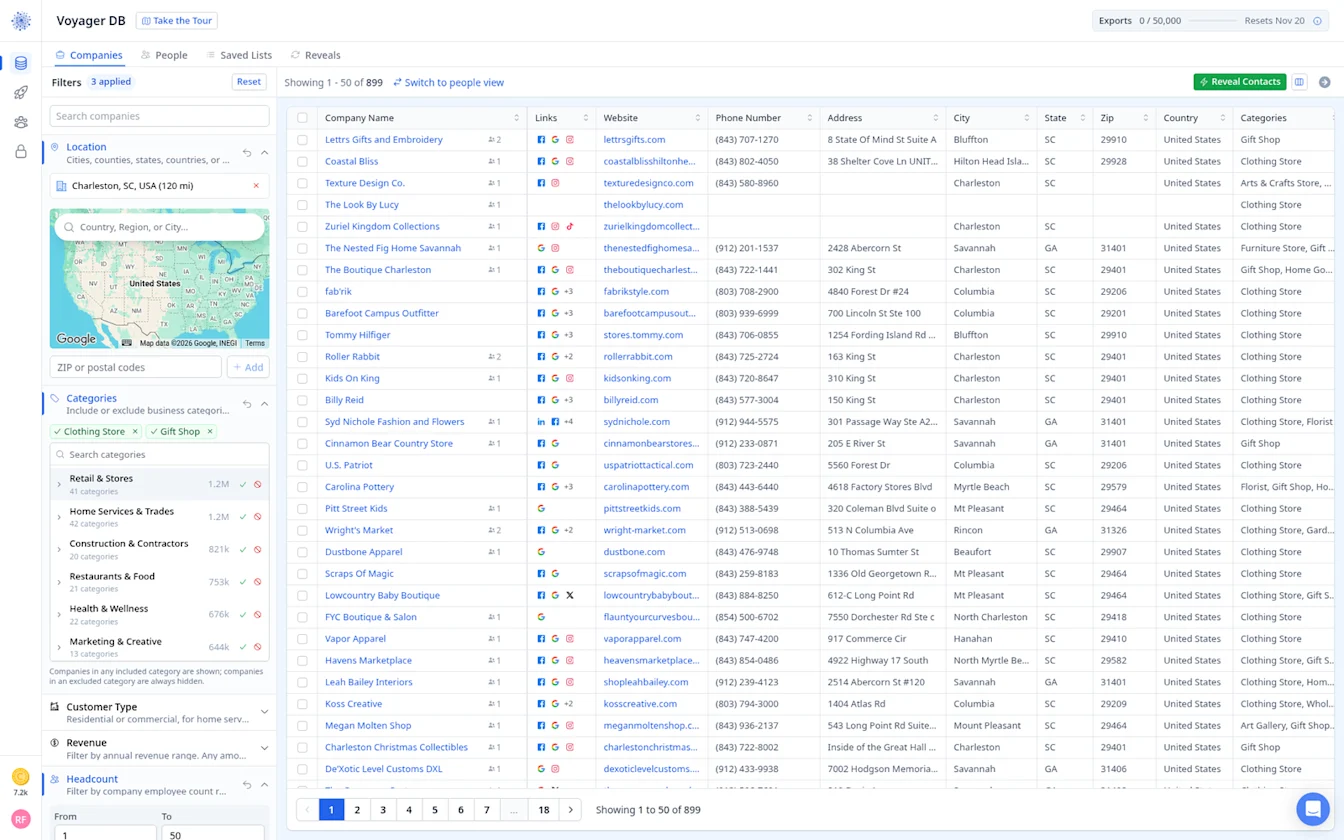
Open Voyager DB and stay on the Companies tab. Under Categories, include Clothing Store and Gift Shop. Picking specific store types instead of the whole Retail & Stores group keeps the list close to your offer.
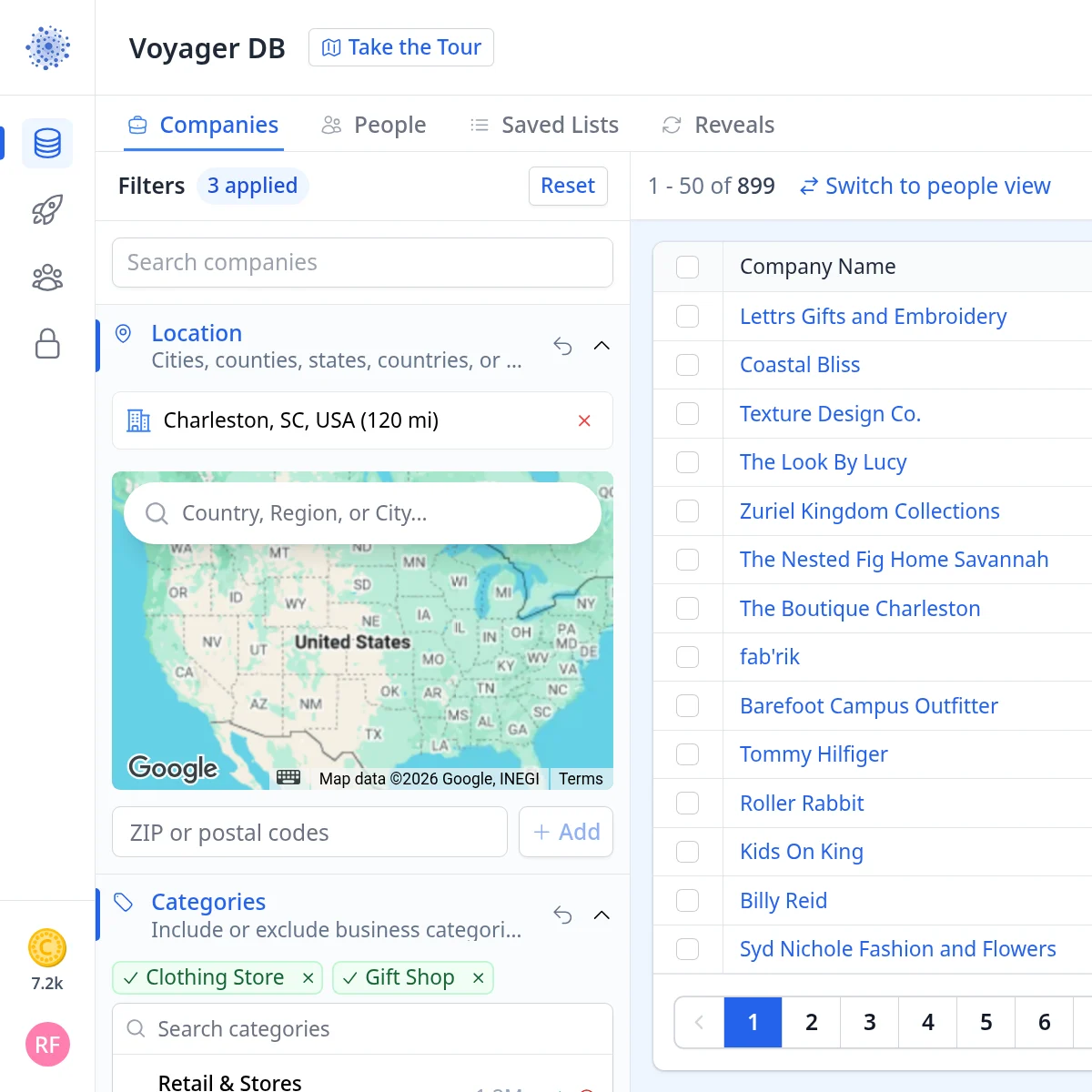
Next, open Location and add Charleston, SC, USA with a 120 mile radius. That reaches Savannah, Columbia, Hilton Head and Myrtle Beach as well as Charleston itself.
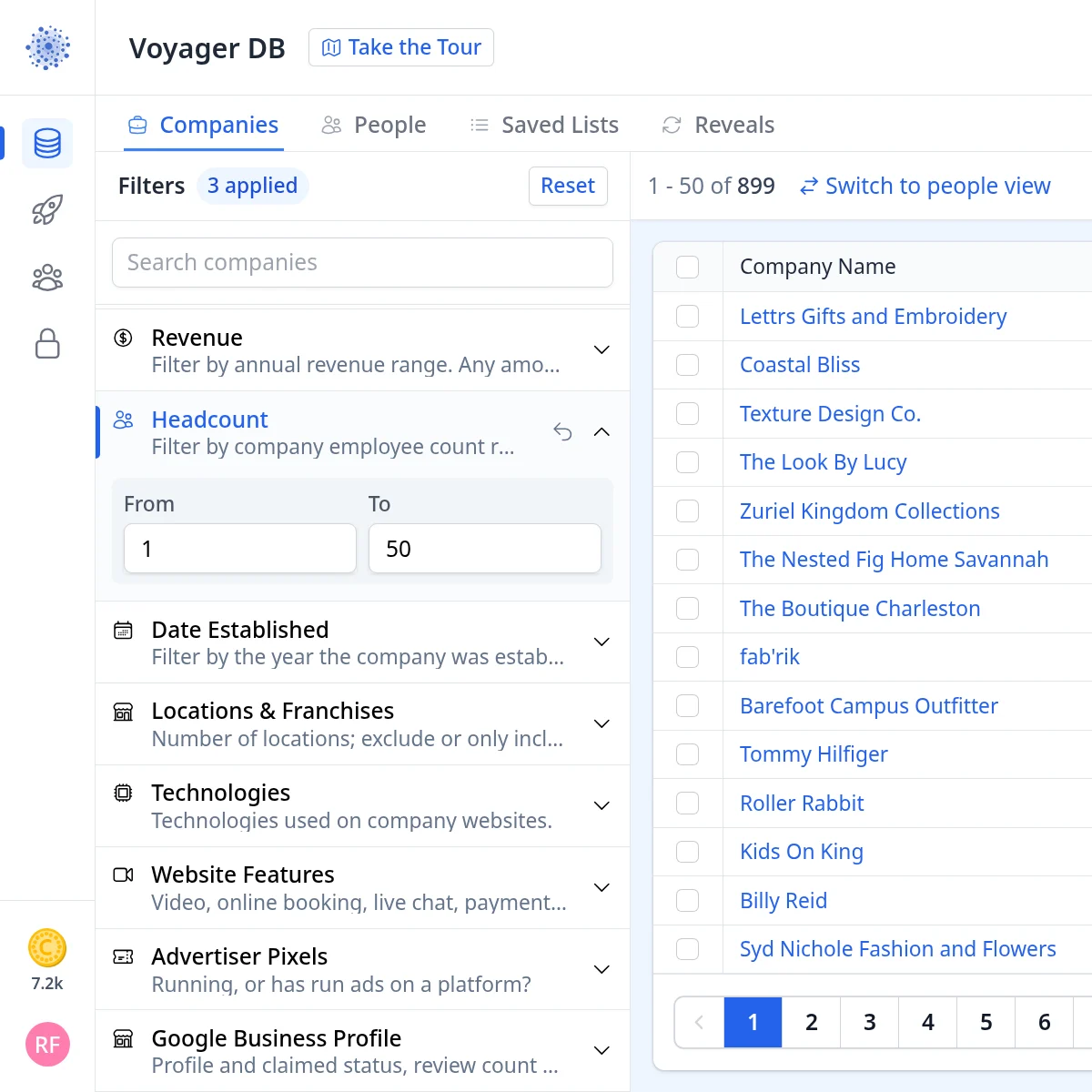
Then set Headcount to 1 to 50 employees. With three filters applied, the search returns 899 stores, each with its website, phone number, address and categories.
Step 2: Instantly reveal contacts and tag them
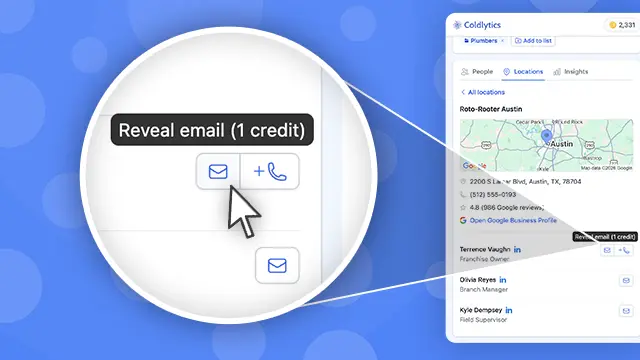
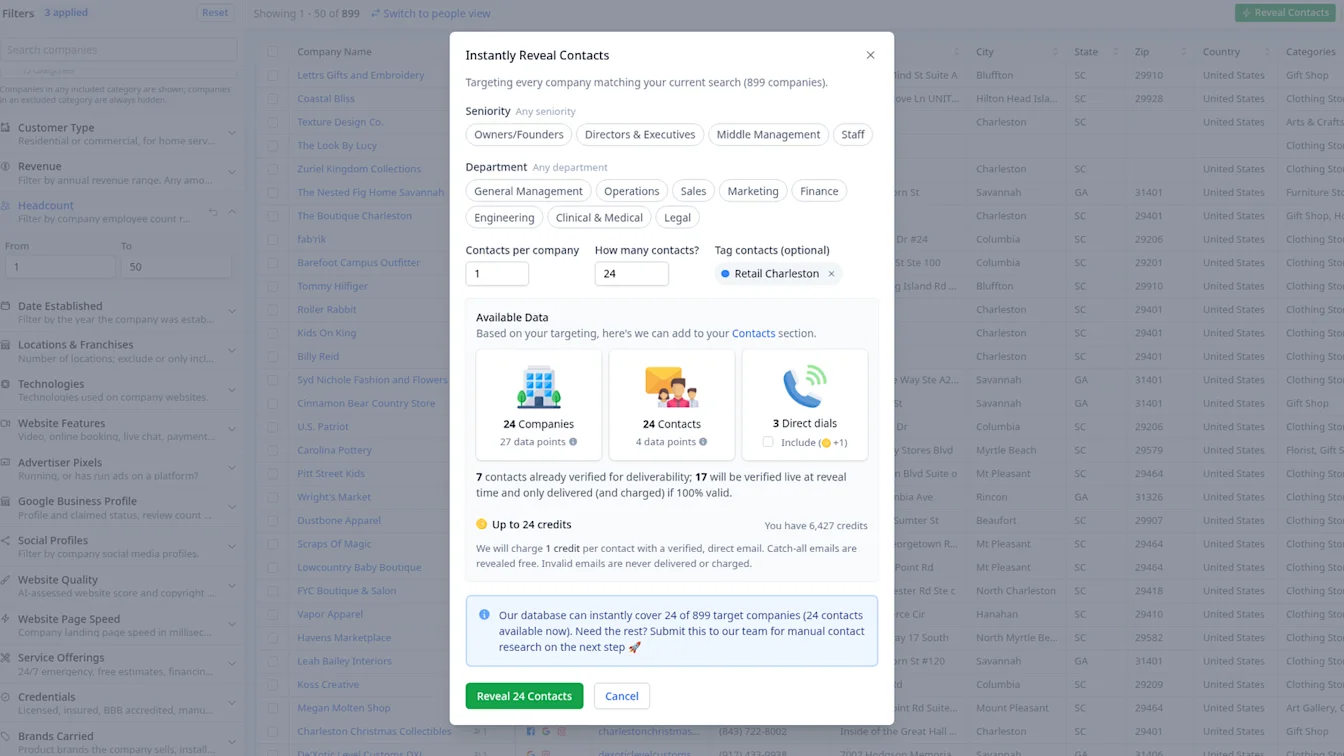
Click Reveal Contacts. The dialog shows how much of the search it can cover instantly: 24 of the 899 stores, with 24 contacts ready to reveal, plus 3 direct dials if you want them. We kept Contacts per company at 1 and created a new tag, Retail Charleston.
You see the cost before you click: up to 24 credits. Seven contacts were already verified for deliverability, and the other 17 would be checked live and only delivered (and charged) if they passed.
Step 3: Check what was delivered and what it cost
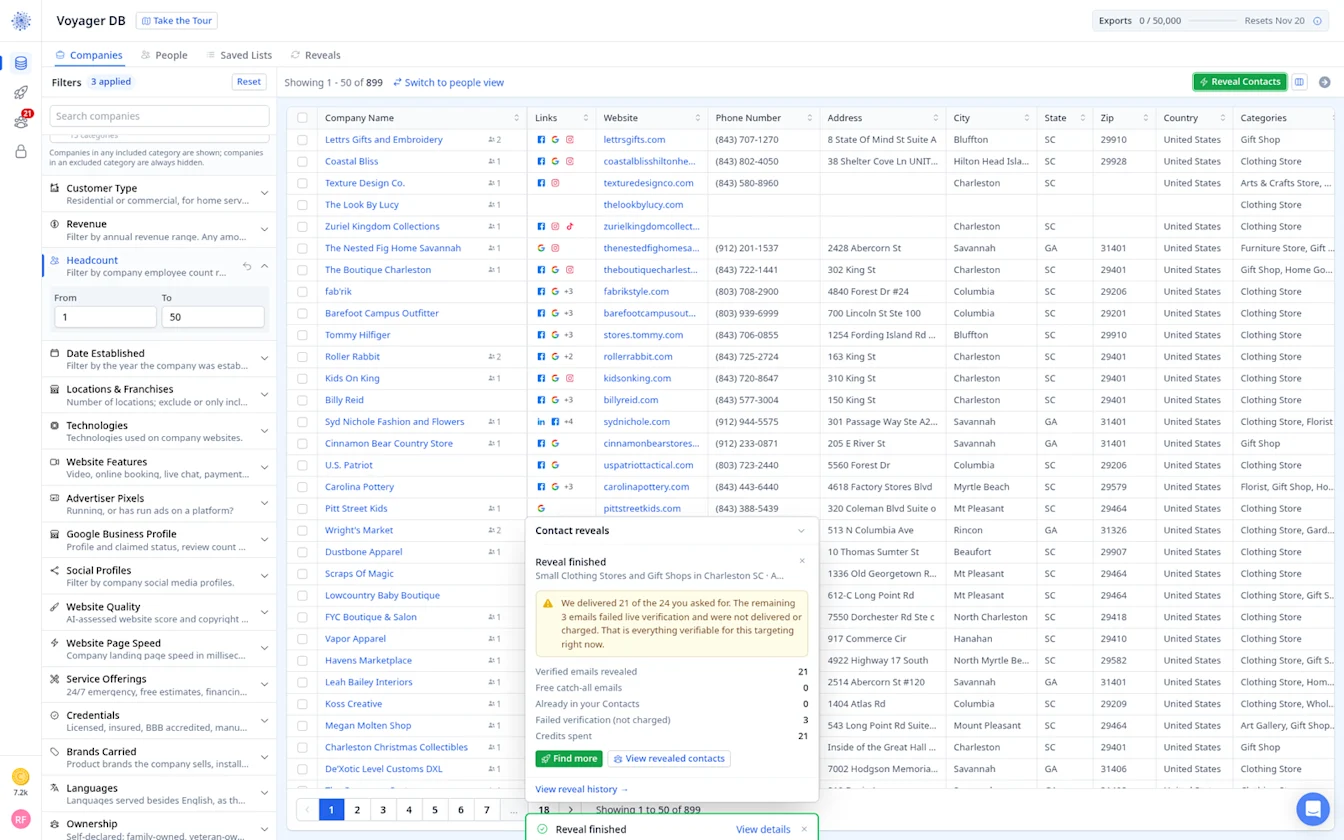
21 verified emails were delivered for 21 credits. The other 3 failed live verification, so they were not delivered or charged.
Step 4: Send the shortfall to Contact Research
875 of the 899 stores in our Charleston search had no instantly revealable contact yet. For those, Contact Research finds store owners for you, priced per contact found.
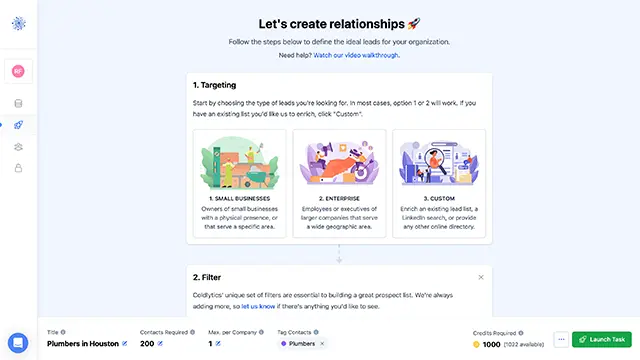
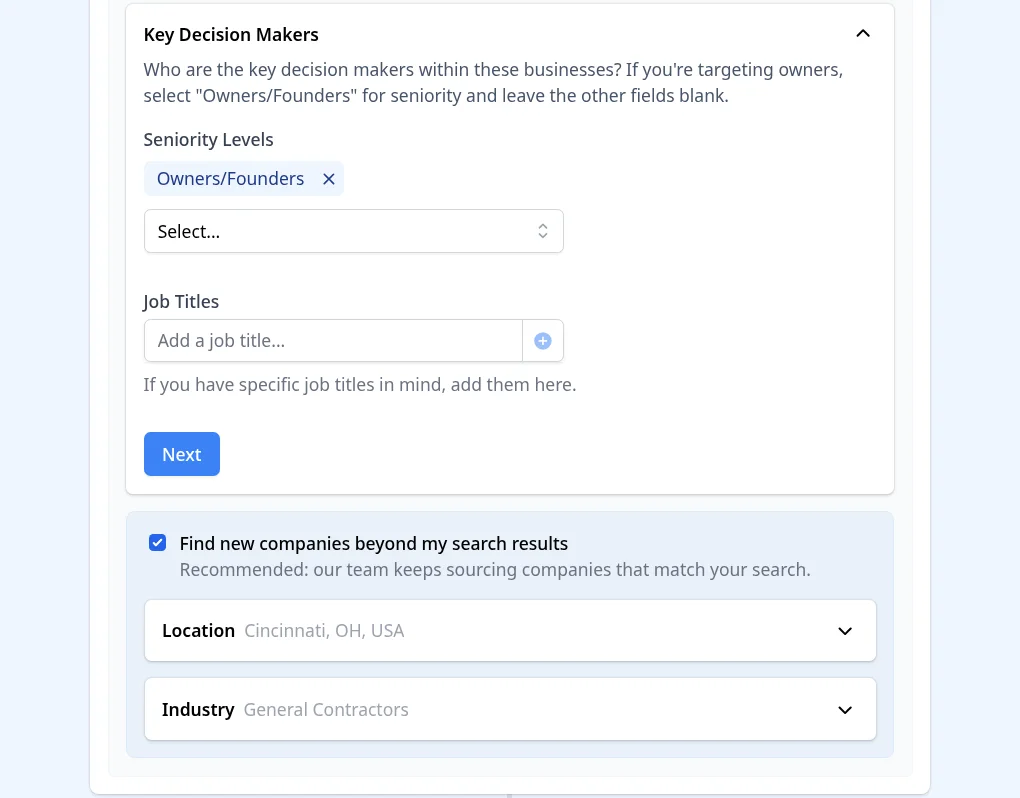
Click Find more in the reveal summary. That opens Contact Research with your search already filled in. In Targeting, choose the Key Decision Makers seniority and, if you like, specific job titles. You can also tick Find new companies beyond my search results and set the location and industry, so our team keeps sourcing companies that match when a smaller market runs thin. The screenshots below are from our construction search, but the steps are the same.
In Deliver, choose the data points you need and add any notes for the research team. The footer shows the cost before you launch, at 5 credits per researched contact.
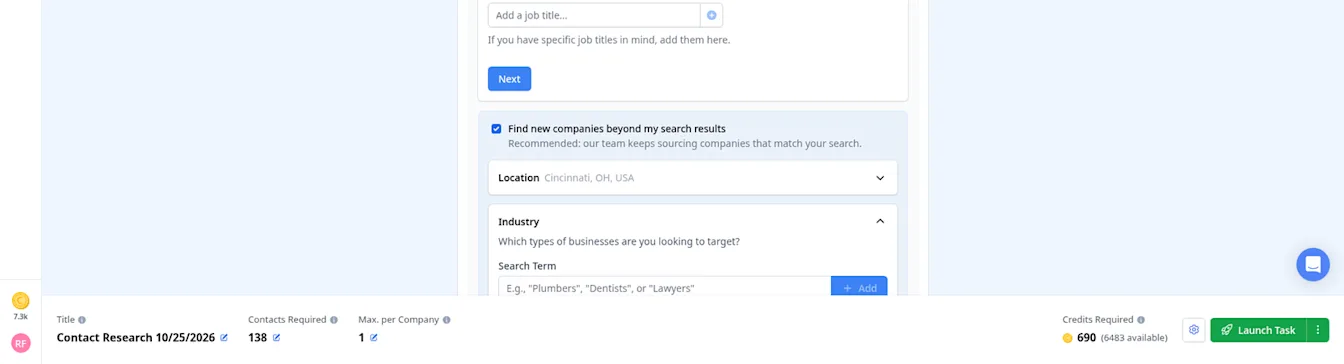
When you are happy, click Launch Task. Researched contacts are delivered to your dashboard, usually within 24 hours on business days.
Step 5: Find your list in Contacts and export it
Everything you reveal or research lands in Contacts. Filter Contacts by the Retail Charleston tag and all 21 owners, co-owners and founders are there with company, website, address and LinkedIn where we have it (email addresses are blurred in this screenshot).
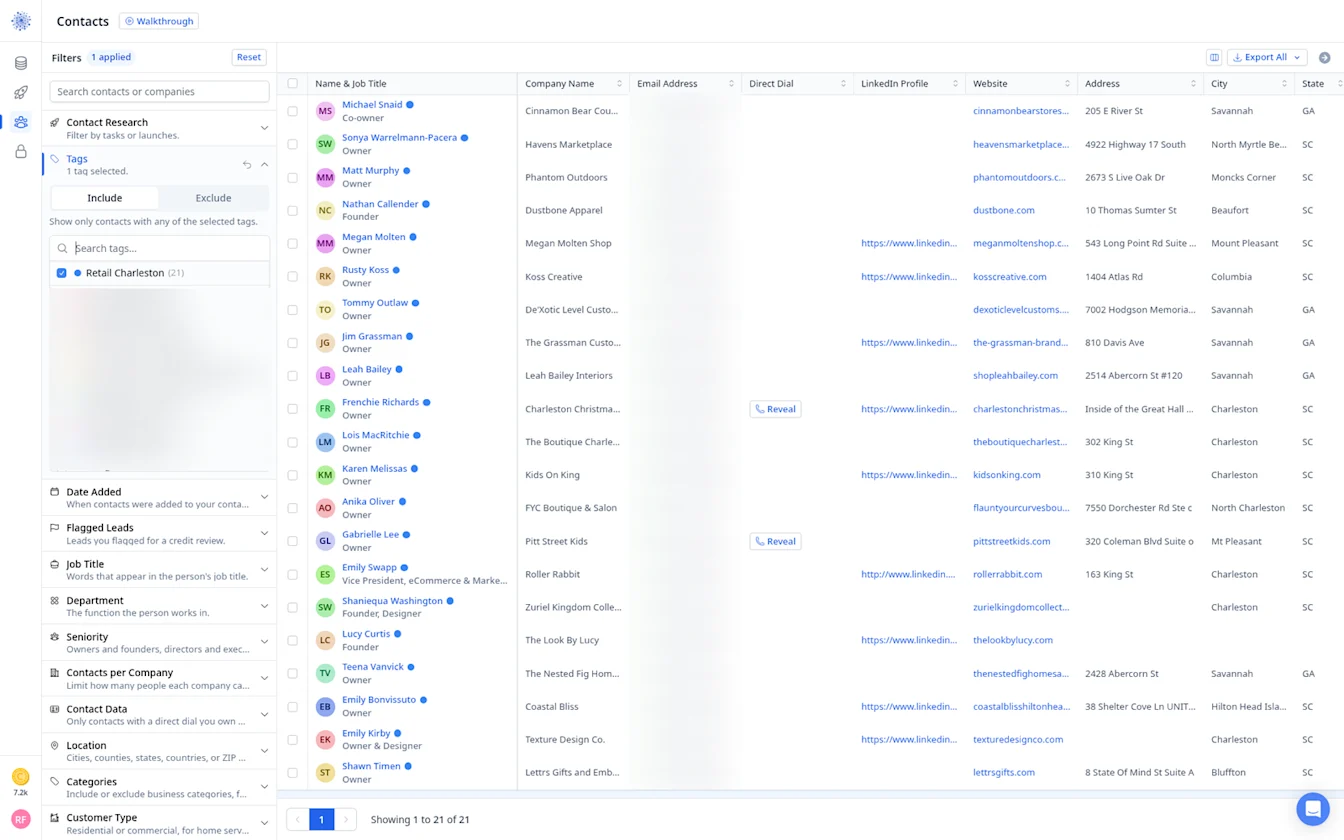
Then click Export All to Download as CSV or send the list straight to HubSpot or Instantly.
Prefer to search people directly? Use the People tab
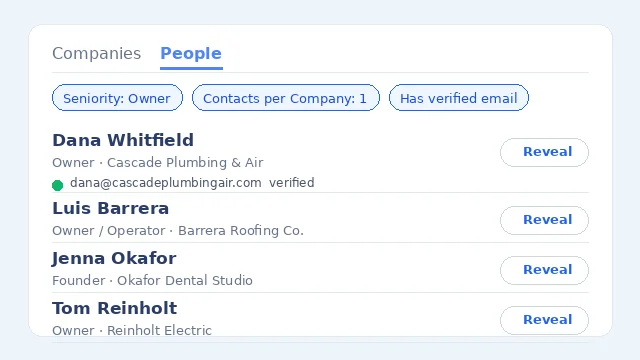
You do not have to start from companies. Switch to the People tab and filter on person-level fields such as Job Title, Department, Seniority, Contacts per Company and Contact Data (for example, only people with a direct dial or LinkedIn profile).
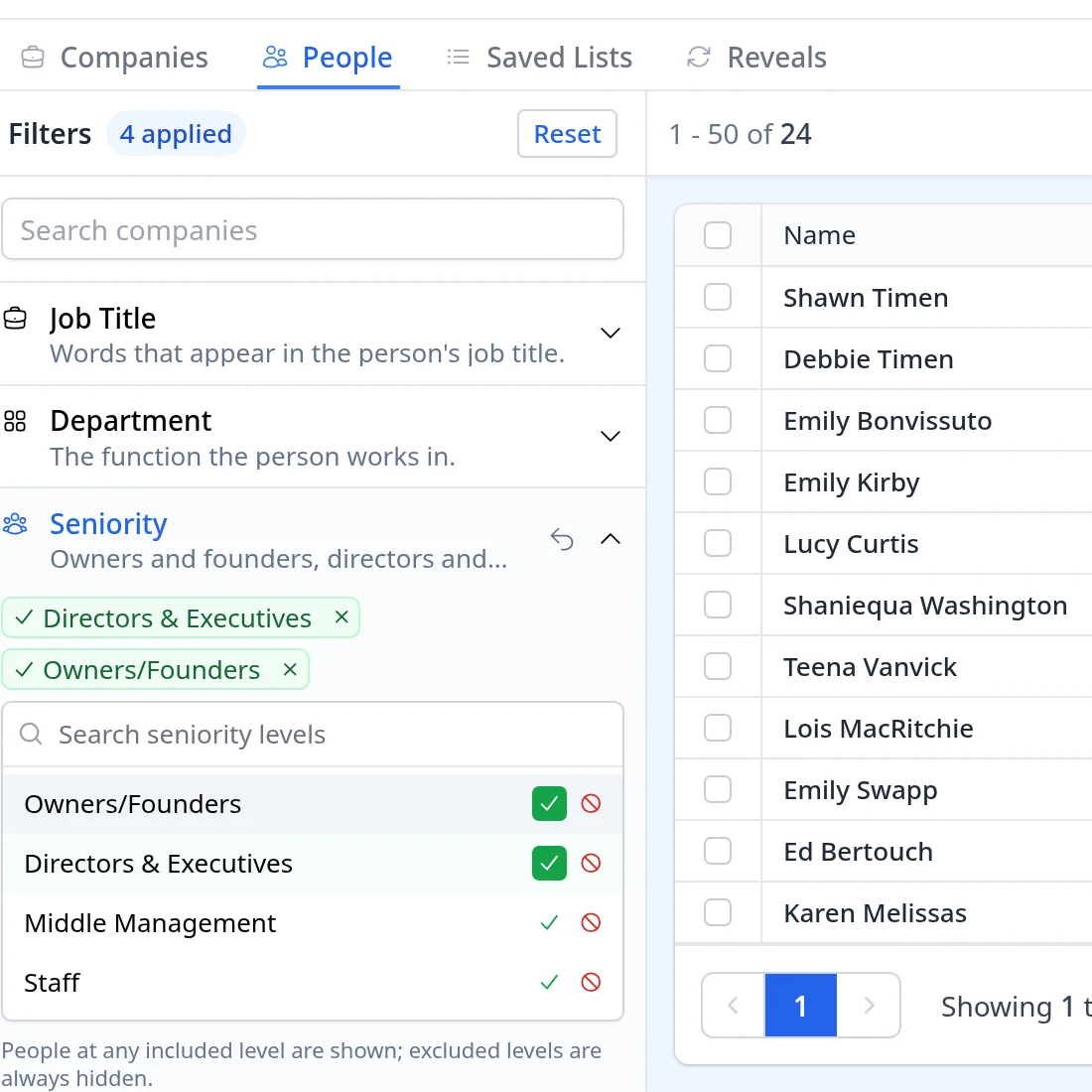
With the same Clothing Store, Gift Shop, Charleston and headcount filters, plus Owners/Founders and Directors & Executives under Seniority, the People tab shows about 24 people, each with their job title and company, and you can reveal emails and direct dials right from the table.
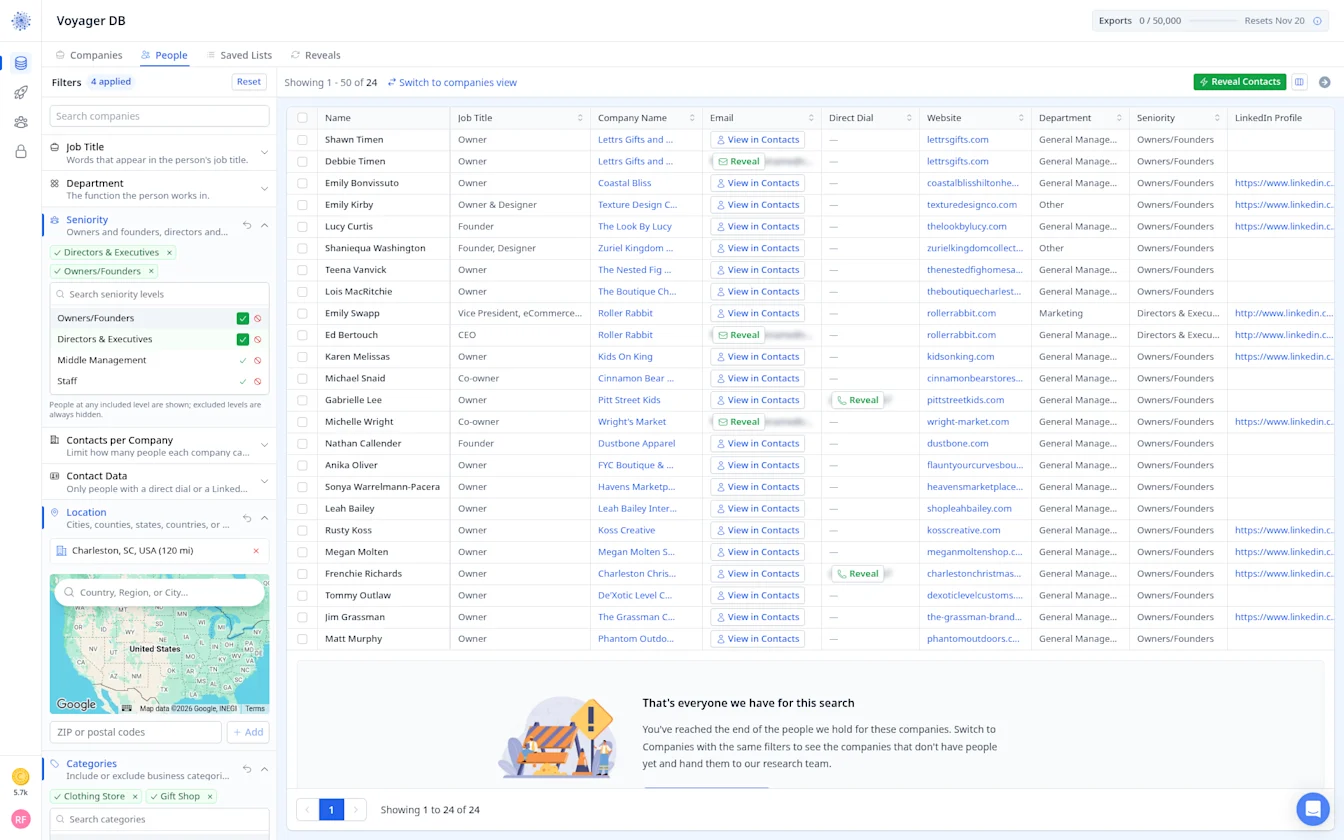
That way you can see exactly who you will reach before you reveal anyone.
Retail Email Lists by Store Type
Convenience Stores Email List
Convenience stores are often owner operated, sometimes with a few locations under one owner. They are a strong audience for distributors, payment providers and signage. Use Locations & Franchises to find owners running more than one store.
Grocery Stores Email List
Independent grocers compete on service and local loyalty, which makes them open to marketing, delivery and loyalty tools. Owners and store managers are the usual contacts. A city or county filter helps you build tight local lists.
Supermarkets Email List
Supermarkets are bigger operations with buyers, category managers and department heads. Directors & Executives and Middle Management are better picks than owners here. If you supply products, add buyer as a job title in Contact Research.
Department Stores Email List
Department stores are few and structured, with decisions spread across buying, marketing and operations teams. A small, carefully targeted list works better than volume. LinkedIn profiles are especially useful in this segment.
Discount Stores Email List
Discount and dollar stores move fast and watch margins closely. Offers that save time or cost tend to land best. Many are franchise or chain locations, so check Locations & Franchises before deciding who to contact.
General Merchandise Stores Email List
General merchandise and variety stores carry a bit of everything, which makes them good prospects for wholesalers and distributors. Owners make most decisions. Pair the category with Revenue to focus on established stores.
Chain Stores Email List
Regional chains sit in a sweet spot: big enough to buy at volume, small enough that leadership is reachable. Target operations and marketing directors, and use Locations & Franchises to find chains in the size range you want.
Boutiques Email List
Boutiques live and die by their brand and their Instagram. Owners are usually reachable and receptive to marketing, photography and e-commerce offers. The Social Profiles filter helps you find boutiques with an active presence, or without one.
Luxury Goods Retailers Email List
Jewelers, watch dealers and high-end fashion stores expect a polished approach. Keep lists small and the message personal. Brands Carried can help you find retailers stocking particular labels.
Artisan Shops Email List
Craft, gift and artisan shops are small, owner led and community minded. Short, friendly outreach works well. A city filter helps you build local lists for in-person or event-based campaigns.
Shopping Centers and Malls Email List
Shopping centers and malls are run by property and leasing teams rather than store owners. Target property managers, leasing directors and marketing managers through Contact Research job titles.
Ecommerce Shops Email List
Online stores are a different animal: no storefront, but lots of tools and ad spend. Advertiser Pixels and Technologies filters are the stars here, letting you find shops running ads or built on a particular platform.
Start your retail email list
By signing up, I agree to Coldlytics' Terms of Service and Privacy Policy.