Technology and IT Industry Email Lists
Search our database of millions of small businesses and reveal verified decision makers.
By signing up, I agree to Coldlytics' Terms of Service and Privacy Policy.

Technology Email Lists for Teams Selling Into Tech
Technology companies are some of the most prospected businesses in the world. That cuts both ways. Their decision makers are used to cold outreach, but they also ignore anything that feels generic. The teams that win are the ones who pick a narrow segment and show they understand it.
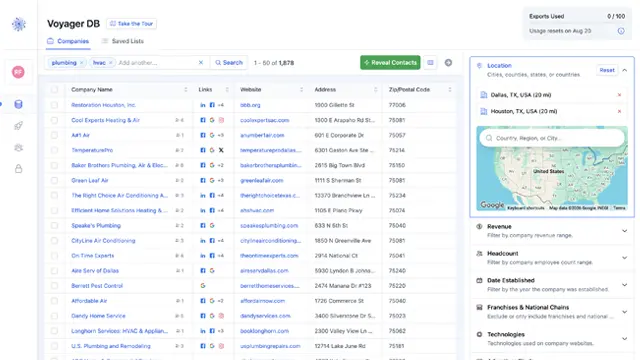
That is what Coldlytics is built for. Voyager DB gives you deep data on US software, IT, telecom and electronics companies, with filters that go well beyond industry, such as the technologies a company uses, its headcount and its web presence. You find the right companies first, then reveal verified contacts for the people who decide.
If you run an agency, these lists suit outreach for SaaS clients, MSP partnerships, dev shops and hardware resellers. If you sell directly, they help you reach CTOs, IT directors and founders without buying a stale list.
How to Build a Technology Email List in Voyager
Here is a real search we ran in the Coldlytics dashboard in October 2026. The goal: owners and senior leaders at small IT, software and telecom companies around Austin, Texas, the kind of 10 to 50 person firm where the founder still reads their own email.
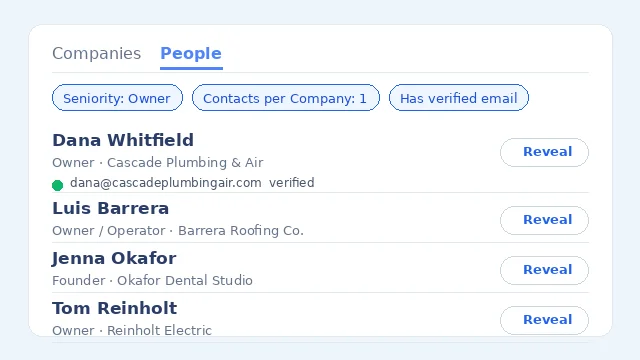
This time we started on the People tab, so we could see exactly who we would reach before revealing anyone.
Step 1: Run a specific search in Voyager DB
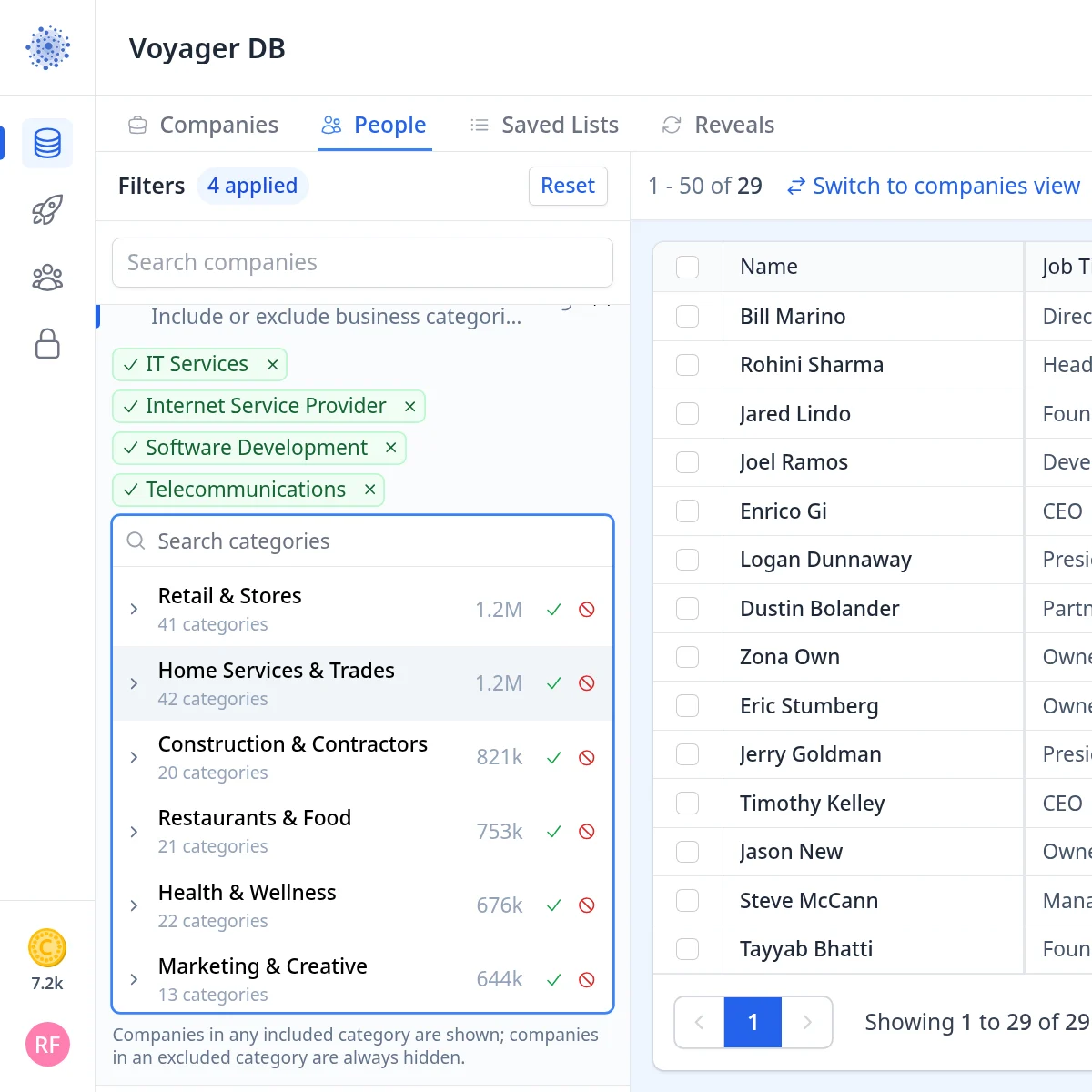
Open Voyager DB and switch to the People tab. Under Categories, include IT Services, Internet Service Provider, Software Development and Telecommunications. You can include a whole category group instead, but picking sub-categories keeps the list closer to your offer.
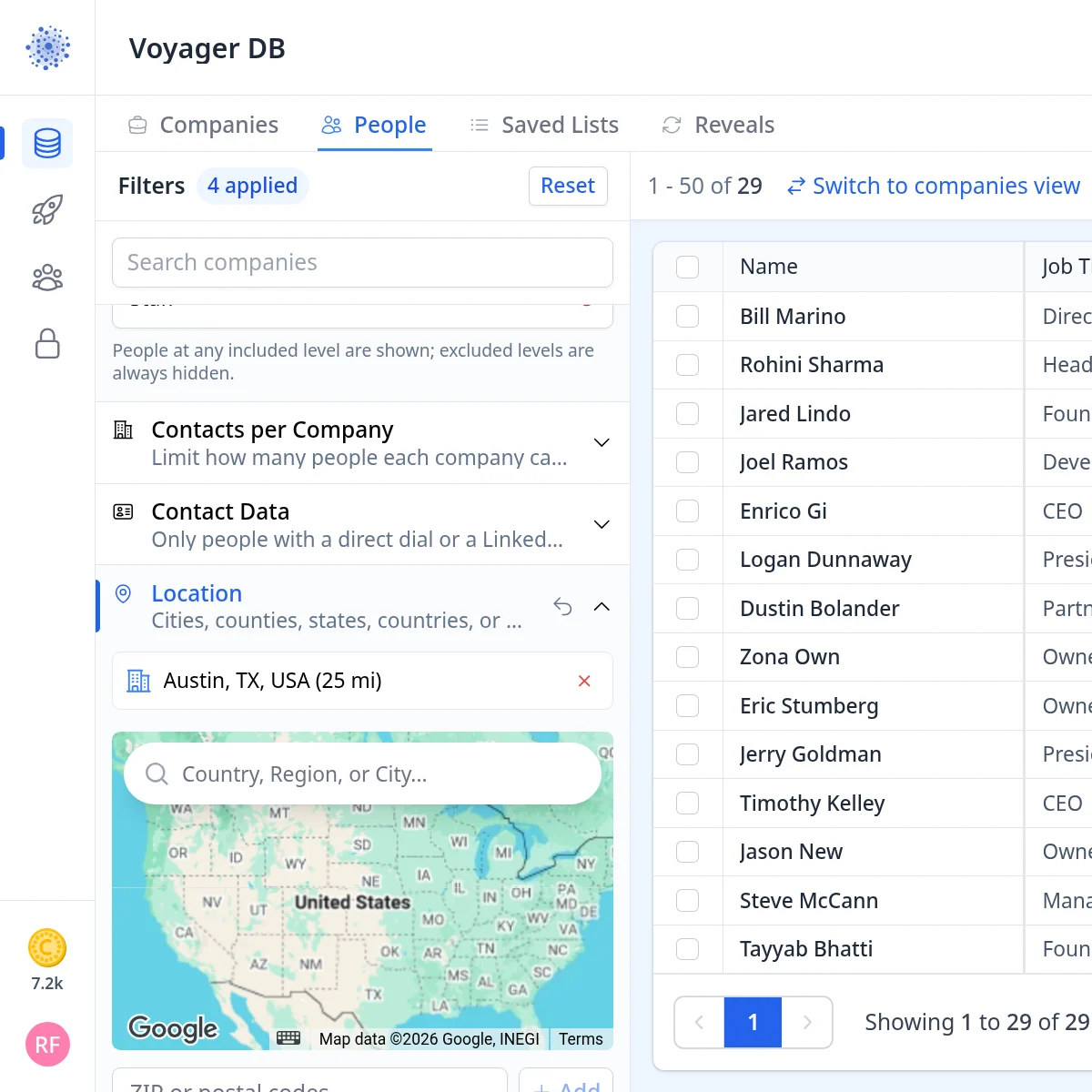
Next, open Location and add Austin, TX, USA with a 25 mile radius. Then set Headcount to 10 to 50 employees. Small IT shops tend to sell locally, so a metro search like this works well.
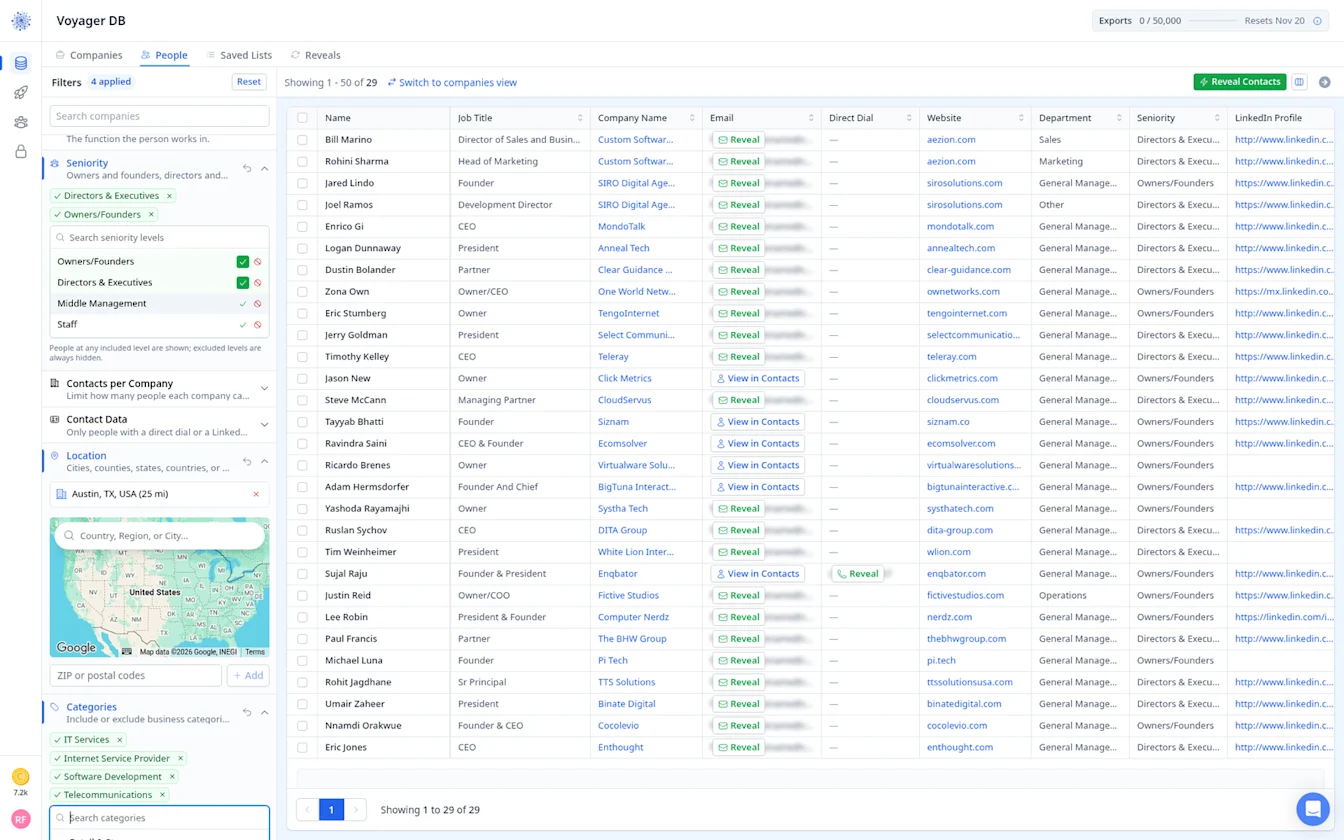
Then under Seniority, include Owners/Founders and Directors & Executives. With four filters applied, the list comes down to 29 people: founders, CEOs, presidents, partners and a few sales and marketing heads.
Each row shows the person's job title, company, website, department, seniority and LinkedIn profile, so you can sanity check the list before you spend a credit. Emails stay hidden until you reveal them.
Step 2: Instantly reveal contacts and tag them
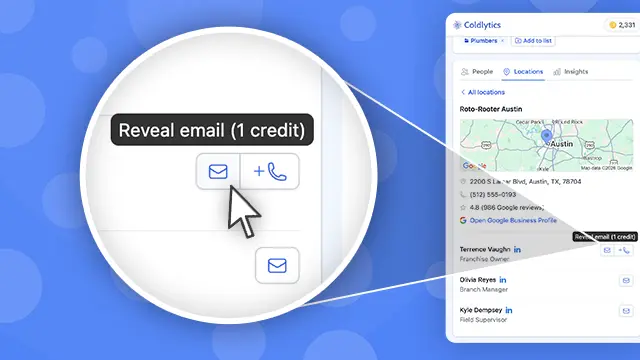
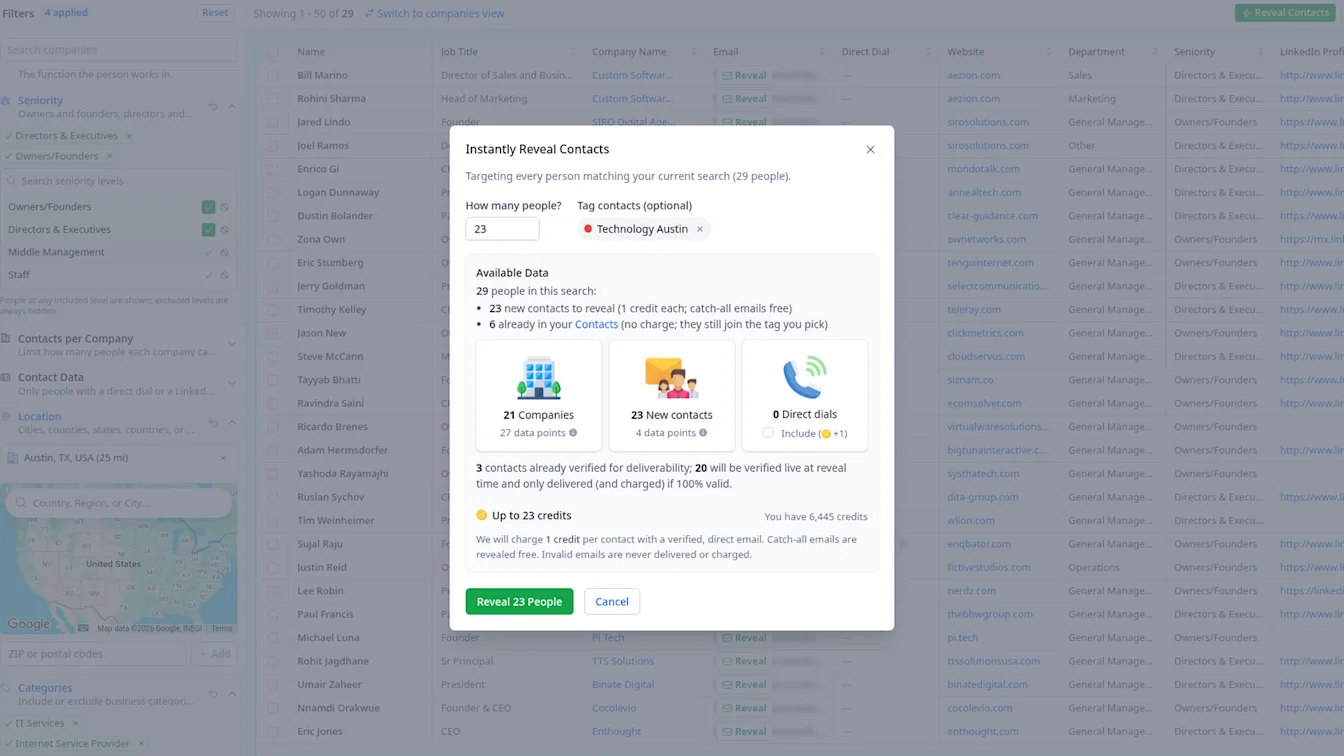
Click Reveal Contacts. The dialog breaks down the 29 people across 21 companies: 23 new contacts to reveal, plus 6 already in our Contacts, which cost nothing and still join the tag. We created a new tag, Technology Austin, right in the Tag contacts field.
Before you click, you see the cost: up to 23 credits. Three of the contacts were already verified for deliverability, and the other 20 would be checked live at reveal time and only delivered (and charged) if they passed.
Step 3: Check what was delivered and what it cost
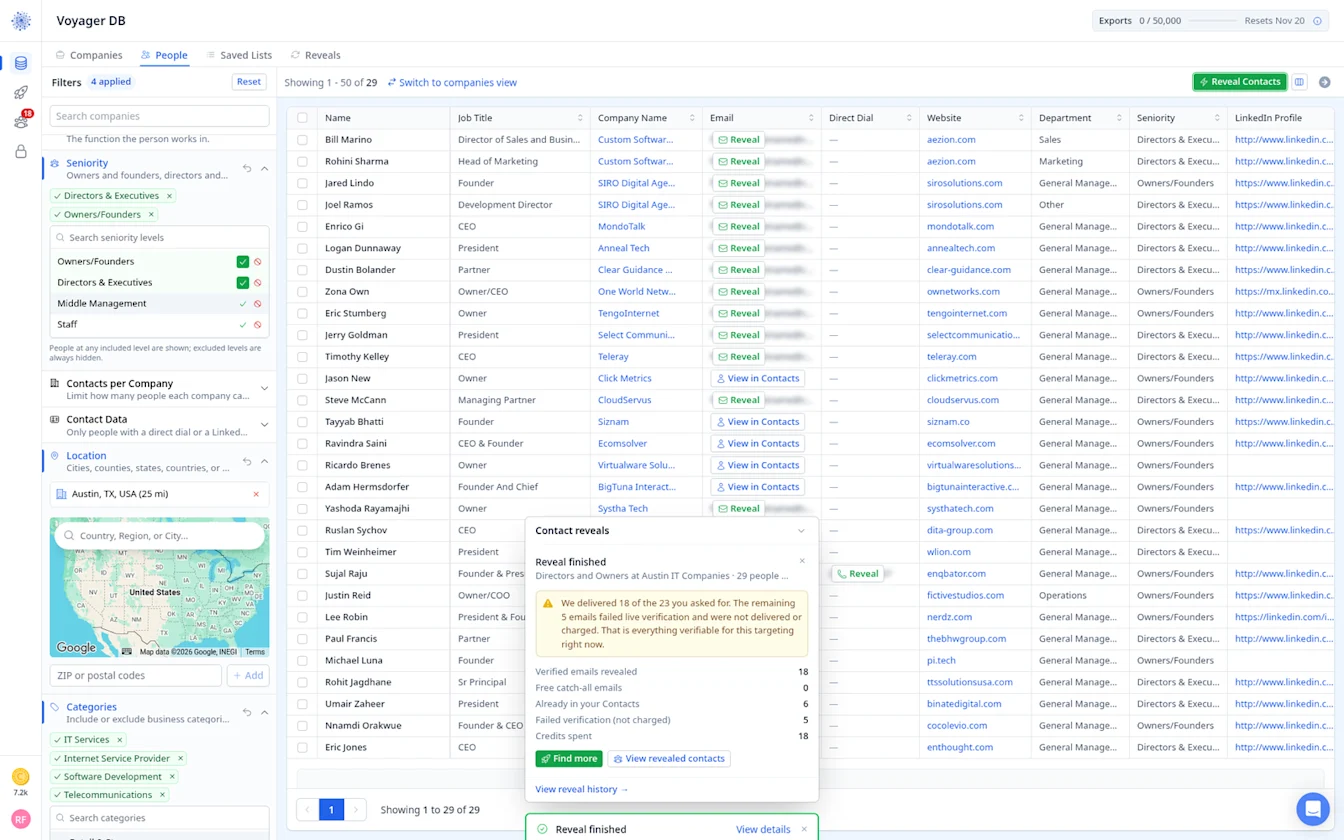
The reveal finished in moments. 18 verified emails were delivered for 18 credits. The other 5 failed live verification, so they were not delivered or charged, and the 6 people we already had were free.
Step 4: Send the shortfall to Contact Research
Our search found 29 people at 21 Austin tech companies. Voyager only lists the people it already has, so it stops there. If you need more companies than that, or other roles at the same ones, Contact Research finds people such as CTOs, heads of engineering or IT managers for you, priced per contact found.
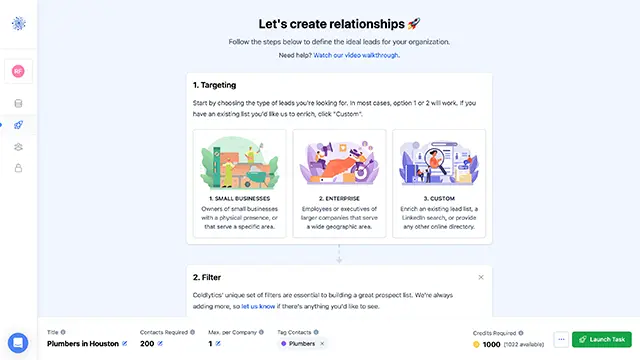
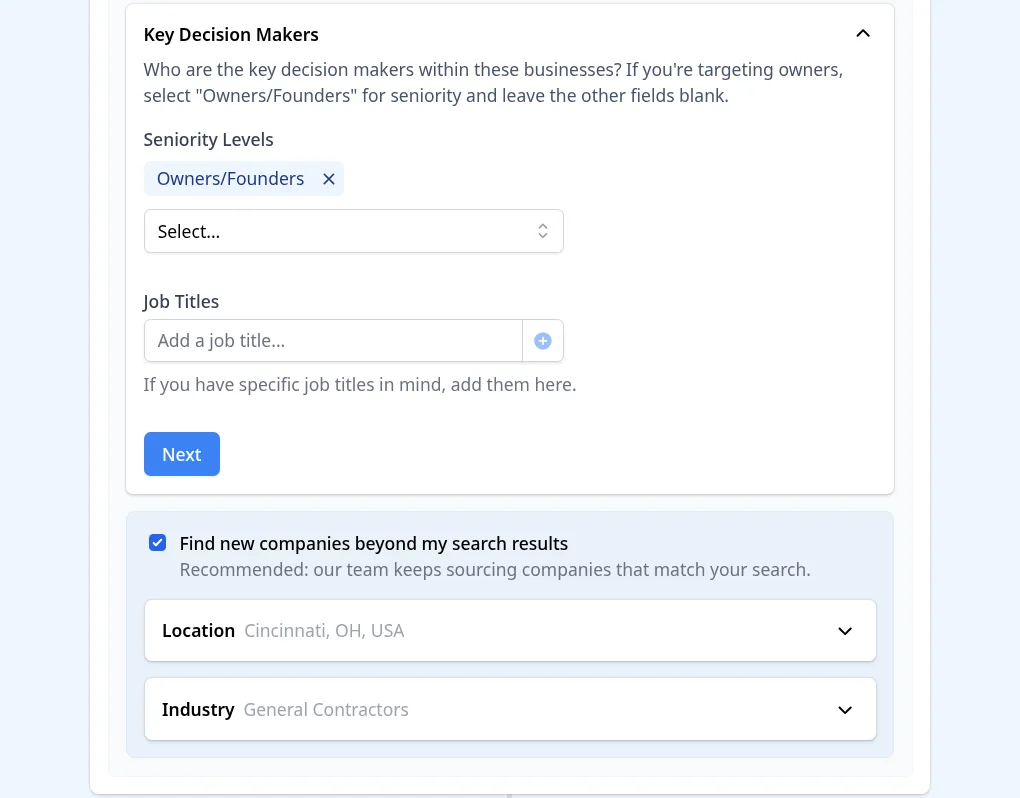
Click Find more in the reveal summary. That opens Contact Research with your search already filled in. In Targeting, choose the Key Decision Makers seniority and, if you like, specific job titles. You can also tick Find new companies beyond my search results and set the location and industry, so our team keeps sourcing companies that match when a smaller market runs thin. The screenshots below are from our construction search, but the steps are the same.
In Deliver, choose the data points you need and add any notes for the research team. The footer shows the cost before you launch, at 5 credits per researched contact.
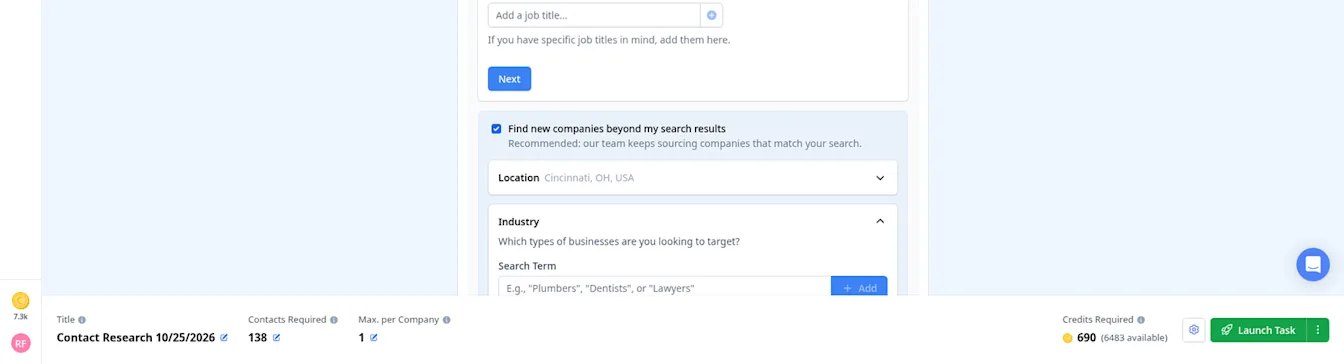
When you are happy, click Launch Task. Researched contacts are delivered to your dashboard, usually within 24 hours on business days.
Step 5: Find your list in Contacts and export it
Everything you reveal or research lands in Contacts. Everything lands in Contacts. Filter by the Technology Austin tag and you get all 24 people: the 18 new reveals plus the 6 we already had, with company, website, street address and LinkedIn where we have it (email addresses are blurred in this screenshot).
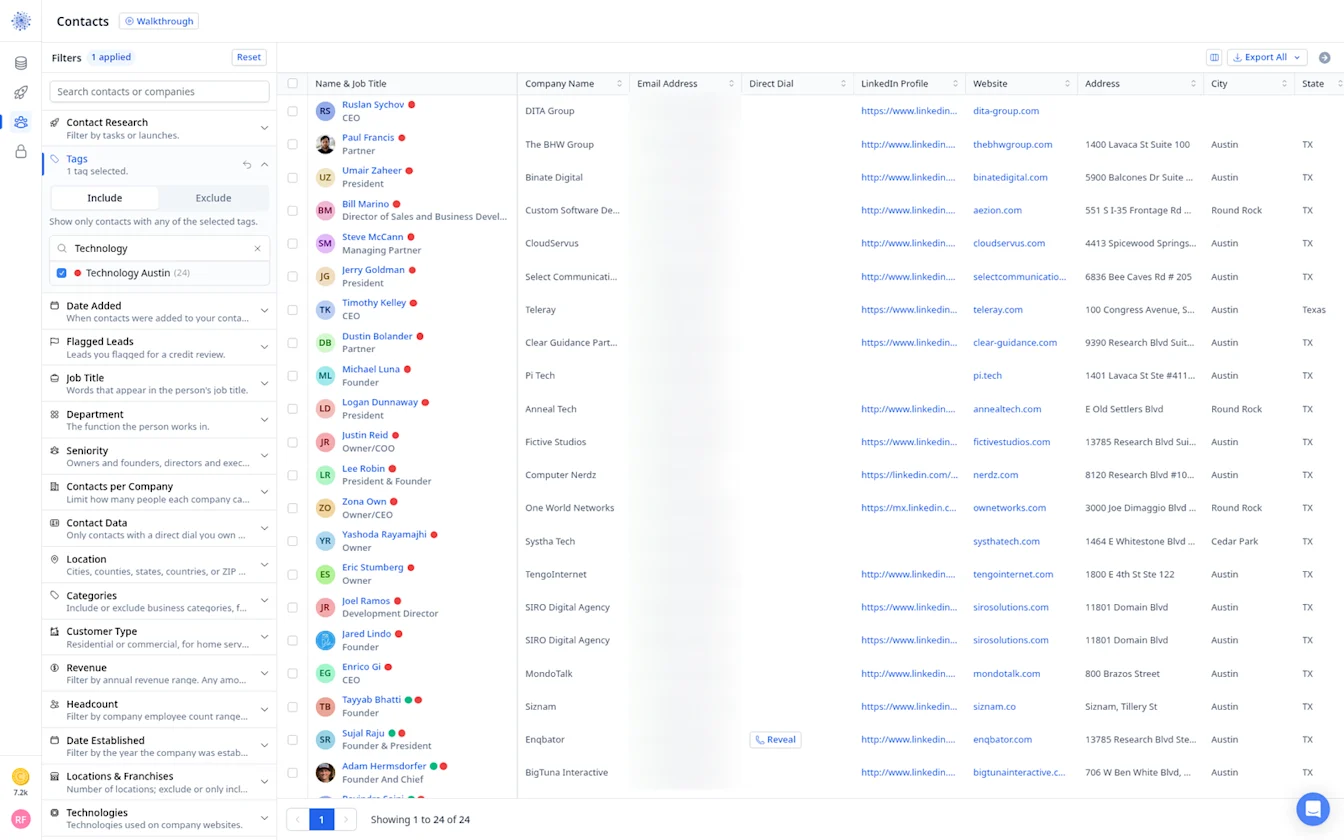
Then click Export All to Download as CSV or send the list straight to HubSpot or Instantly.
Prefer to start from companies? Use the Companies tab
You do not have to start from people. Switch to the Companies tab and filter on company-level fields such as Categories, Location, Revenue and Headcount. Person-level filters like Seniority do not apply on this tab, so they drop off.
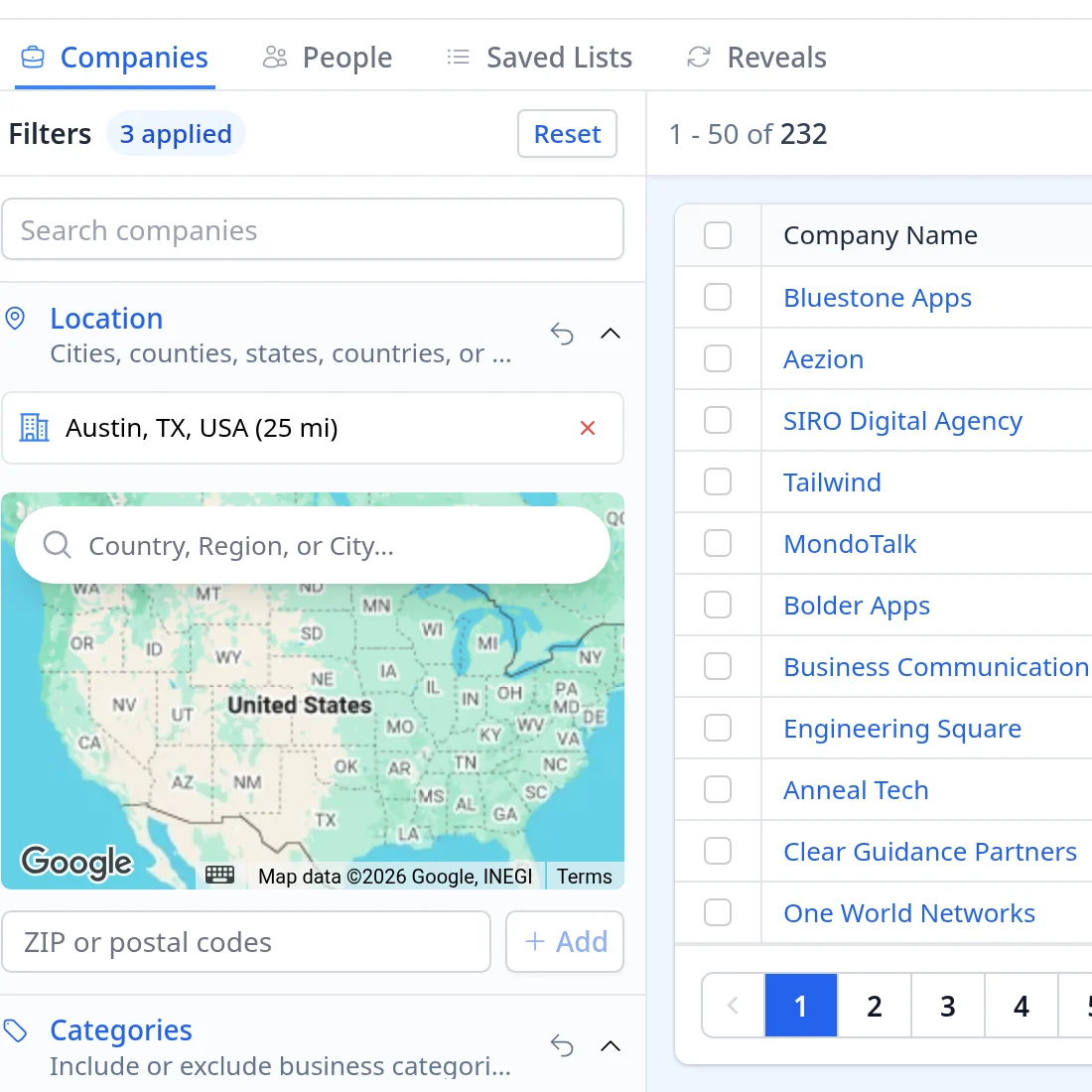
With the same four tech categories, Austin and headcount filters, the Companies tab shows about 232 companies, each with its website, phone, address and city, so you can sanity check the list before you reveal anyone.
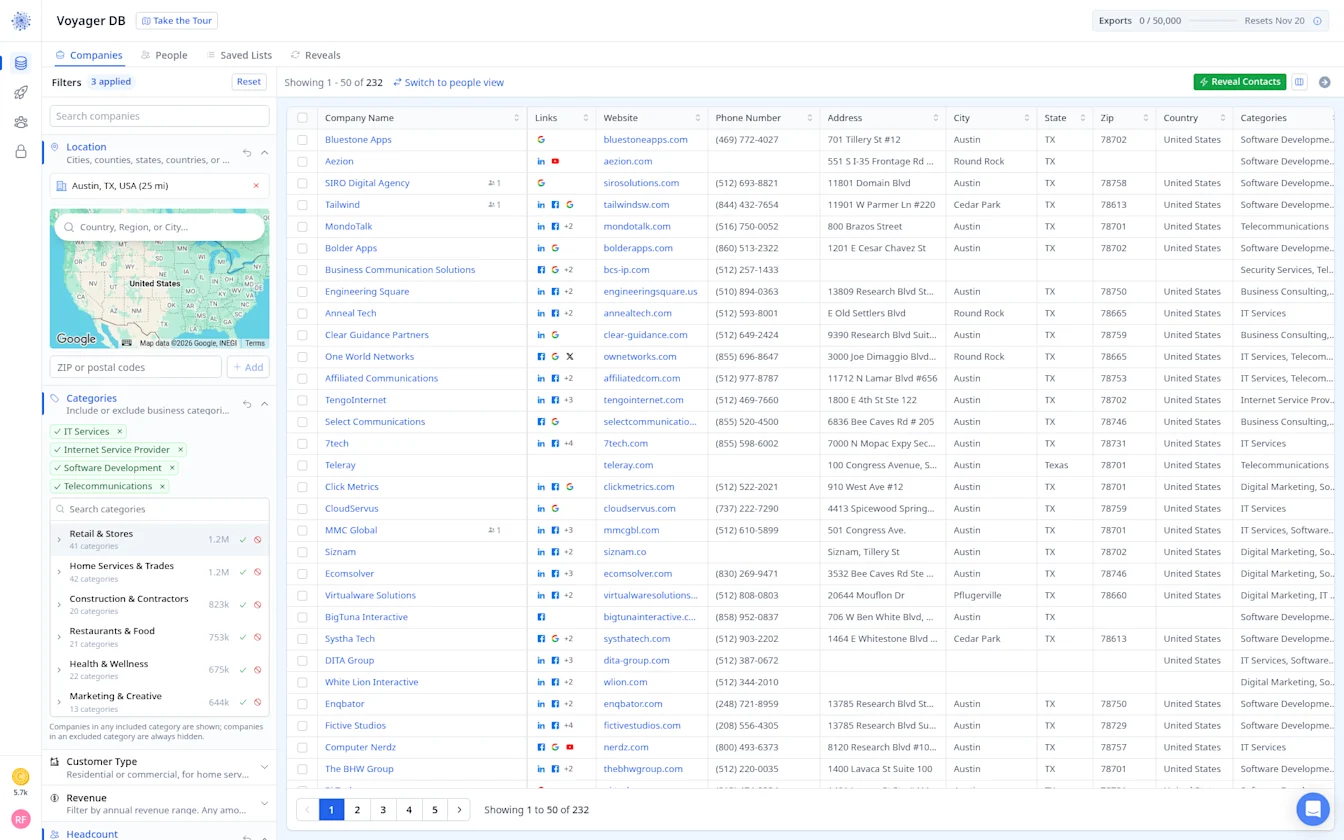
That is more than the 29 people in our People search, because the Companies tab lists every matching business, not only the ones with a person who fits the seniority you picked. Click Reveal Contacts to choose the Seniority, Department and Contacts per company you want, so you reach the right person at each business.
Who You Can Reach in Tech
Information Technology Email List
IT service providers, MSPs and consultancies are a big, practical market. Many are owner led with 10 to 50 staff, which means the owner still signs off on tools, partnerships and marketing. This is a good segment for an IT industry email list built around a specific state or city, since MSPs often sell locally.
Cloud Computing Companies Email List
Cloud and hosting providers, plus the consultancies that migrate clients to them, care about partner channels and qualified pipeline. Founders, heads of partnerships and sales leaders are the usual targets. The Technologies filter helps you find firms built on a particular cloud platform.
Telecommunications Industry Email List
Telecom covers carriers, VoIP providers, ISPs and the contractors who install their networks. Larger players need Directors & Executives or Middle Management in Contact Research, while regional ISPs are often reachable at the owner level.
Wireless Communication Companies Email List
Wireless companies, from tower services to device and IoT firms, tend to be engineering heavy. Engineering managers and operations leads often evaluate new vendors first. Add those as Job Titles when you send the search to Contact Research.
Semiconductor Industry Email List
Semiconductor firms are fewer, larger and more formal in how they buy. A small, well researched list beats volume here. Procurement, operations and engineering leaders are worth more than a generic executive list.
Electronics Industry Email List
Electronics manufacturers and assemblers sit between tech and manufacturing. They respond to offers around components, contract manufacturing, logistics and quality tools. Headcount and Revenue help separate small design houses from production facilities.
Geospatial Companies Email List
GIS, mapping and surveying technology firms are a niche but loyal market. Many are small, specialist teams where the founder or a technical director makes the decisions. A national search usually works best, since the segment is spread thin.
Build your technology email list
By signing up, I agree to Coldlytics' Terms of Service and Privacy Policy.