AI Assistants for Marketing Agencies: Great Uses for Grok Bot, ChatGPT, Muse and Instinct
Where Grok Bot, ChatGPT, Muse and Instinct actually help a marketing agency, what each costs and where it falls short, plus how to feed them deep data on the local businesses you sell to.


Every agency I talk to is trying AI assistants right now. Most of them have a ChatGPT tab open all day. A few have started handing whole jobs to agents that click around the web on their own.
The new tools are genuinely useful. They're also easy to waste a month on.
So I've gone through four of the assistants agencies ask me about most: Grok Bot, ChatGPT, Muse and Instinct. For each one you'll get what it actually is, the agency jobs it's great at, what it costs today, and where it falls down. Then I'll cover the part nobody talks about: an assistant is only as good as the data it can reach.
Everything below was checked against each company's own pages on October 15, 2026. This space changes weekly, so treat prices and plan names as a snapshot.
The four assistants at a glance
| Grok Bot | ChatGPT (OpenAI) | Muse (Meta) | Instinct | |
|---|---|---|---|---|
| What it is | Named "AI teammates" that each work on a persistent cloud computer | A general assistant, plus ChatGPT Work for longer tasks and shared workspace agents | A personal AI agent, now with small-business skills and connectors | A personal assistant you text or call |
| Best agency fit | Ongoing, multi-step jobs across your tools | Team-wide workflows, documents and reports | Clients' Meta ads, Instagram and day-to-day admin | The agency owner's own calendar and errands |
| Runs on a schedule | Yes, routines on a schedule or after an event | Yes, scheduled tasks and scheduled workspace agents | Keeps working toward a goal after the chat ends | Not documented |
| Approval before acting | Yes, it comes back for sign-off | Yes, important actions need approval | Yes, nothing publishes, sends or spends without you | Not clearly documented |
| Access (Oct 2026) | Included in The X Subscription from Premium ($30/month), and in paid Cursor plans | Work on paid plans except Free and Go. Business seats from $25/user/month billed monthly | Free with usage limits, Power $20/month, Maximum $100/month. US and Canada | Free, invite-only beta |
Grok Bot: AI teammates for ongoing agency work
Grok Bot gives you named Bots that you message like a colleague. Each one works on a persistent cloud computer with a browser, a filesystem and a terminal. It uses connectors where they exist (Gmail, Google Calendar, Drive, Sheets, Slack, Notion and others) and plain computer use for everything else, which means it can work in tools that have no API.
Work keeps going when your laptop is closed. When something needs a decision, the Bot comes back and asks.
Two features matter most for agencies:
- Skills. Once a task works, you save the method as a reusable skill: the steps, the checks and what needs approval.
- Routines. A routine runs a skill on a schedule, or after an event like a Slack message. A Bot can own up to 50 routines.
You can also run several Bots in parallel and let them pass work between each other, so one can handle reporting while another handles research.
Great uses for an agency:
- Monday client reports. Pull last week's numbers from the client's dashboards, write the summary in your house style and leave the email as a draft for you to approve.
- Prospect research packs. Give it a list of 20 local businesses and get back a short brief on each: what they sell, how their site looks, what their Google reviews say and a suggested first line.
- Competitor watching. A weekly routine that checks a client's top competitors' sites and pricing pages and tells you what changed.
- Tools with no API. Because it can use a browser, it can work inside the clunky portals every agency ends up with.
Watch out for: all of your Bots share one cloud computer, including its files, browser sessions and logins. The docs are clear that isolation is strict between users but not between your own Bots. If a Bot is logged into a client's ad account, assume every Bot on that account can use it.
Access: Grok Bot is included in The X Subscription on Premium ($30/month), Super ($100/month) and Ultra ($200/month), and team seats get it at the same per-seat prices. It's also included with paid individual Cursor plans and Cursor Teams. It runs on Mac, Windows and Linux, plus iPhone, iPad and Android.
ChatGPT (OpenAI): Work, scheduled tasks and workspace agents
Most agencies already pay for ChatGPT, and it has quietly grown well beyond a chat box.
- ChatGPT Work is OpenAI's agent for longer tasks. It researches, works across your connected apps and files, and produces finished documents, spreadsheets, presentations and reports. It's rolling out on paid plans except Free and Go.
- Cloud browser gives Work its own browser on a separate cloud computer, so it can fill in forms and click through sites, and keep going after you close your laptop. It asks before visiting a new website.
- Scheduled tasks run once, on a repeat, or when something happens. On Business plans that includes a new Gmail message, a Slack channel message or GitHub activity.
- Workspace agents are shared agents your whole team can use. They run on a schedule, work in Slack and follow the permissions your admin sets. They're available on Business, Enterprise and Edu plans.
Great uses for an agency:
- One shared "client onboarding" agent that everyone on the team uses, so every new client gets the same audit, the same questions and the same kickoff deck.
- Proposal and pitch decks. Feed it the discovery call notes and get a first-draft deck you then make good.
- Reply drafting. A task that watches for new replies from prospects and drafts a response for a human to send.
- Prospecting from chat. With a connector, ChatGPT can search a lead database for you. More on that below.
Watch out for: a lot of the useful team features sit on Business, Enterprise and Edu plans, and several are switched off until an admin enables them. Budget an afternoon for setup.
Access: ChatGPT Business Standard seats are $25 per user per month billed monthly, or $20 billed annually. Premium seats with five times the usage are $125 monthly or $100 annually.
Muse (Meta): the agent your clients may already be using
Muse is Meta's personal AI agent. It launched in September 2026 as a consumer product for things like emails, bookings and payments.
On September 29, Meta added Muse for Small Business, and that's the part agencies should pay attention to. It connects to Instagram professional analytics, Facebook Pages and Meta ad accounts, plus tools like Canva, Figma, HighLevel, Klaviyo, Notion, QuickBooks, Shopify, Slack, Stripe and Zoom. Meta says nothing publishes, sends or spends without the owner's approval.
Great uses for an agency:
- Meta ads housekeeping. Quick questions about a client's ad account and Instagram performance, answered in plain English.
- Content in the client's voice. Muse learns what a business sells and how its brand sounds, which makes it handy for first drafts of social posts.
- Understanding your buyers. This is the big one. Muse is aimed squarely at small-business owners, the same people many agencies sell to. If an owner can now ask an agent to "write my Instagram posts this week", your pitch needs to be about the strategy and results an agent can't deliver on its own.
Watch out for: Meta lists Muse as available in the US and Canada only, and its subscriptions are still described as in limited testing. Check that your clients can actually use it before you build a workflow around it.
Access: free with usage limits. Power is $20/month and Maximum is $100/month.
Instinct: a personal assistant you text
Instinct describes itself as "a personal assistant that understands what you're working on and what's important to you." There's no new app to learn. You text or call it, and it uses a phone and a computer the way a person would. Its own examples are personal: disputing a bill, sending birthday gifts, ordering groceries, booking appointments.
Great uses for an agency owner:
- Your own calendar and admin. Rescheduling calls, chasing a supplier, booking travel for a client visit.
- Follow-ups you keep forgetting. Text it a reminder from the car and let it handle the email.
Watch out for: Instinct is an invite-only beta. It's free for now and hasn't announced pricing. It's built for one person, not a team. TechCrunch has also reported privacy and security concerns about how much access it takes. I'd keep client data well away from any personal assistant until you've read its privacy policy properly.
One more thing: there's an unrelated marketing agency also called Instinct. The assistant lives at instinct.com.
The weak spot: AI assistants are only as good as their data
Here's what happens when you ask any of these assistants to "find me 200 HVAC companies in Ohio with the owner's email."
It searches the web, opens Google Maps, scrapes a few dozen listings, then starts guessing email patterns. You get a list with gaps, generic info@ addresses and the odd owner who sold the business three years ago. It takes ages and burns through your usage.
The big contact databases don't fix this either. Apollo, ZoomInfo and Lusha are built for enterprise and tech companies. They're very good if you sell to SaaS businesses with full LinkedIn profiles. The owner of a six-person plumbing company in Dayton often isn't on LinkedIn at all. (If you're weighing one up, our breakdown of Apollo's pricing shows where the costs add up for Main Street sellers.)
That gap is why we built Coldlytics as sales intelligence for Main Street. We're a small, independent team, and we've spent years building deep data on the local businesses the big databases miss: more than 10 million of them, plus about a million of the people who run them. Nine in ten of those people are owners or decision-makers.
The depth is what makes it useful to an agency. Every one of these is searchable:
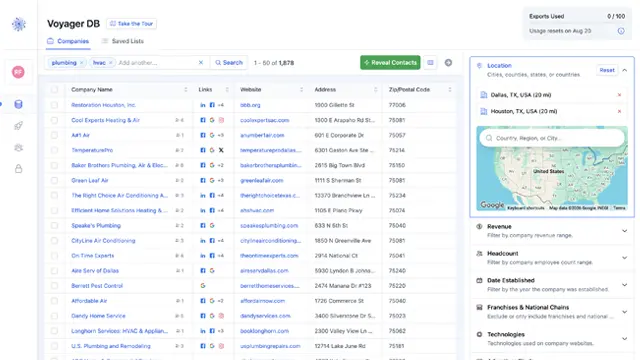
- Google Business Profile details: claimed or unclaimed, review count and rating, number of Google Maps locations and Google Maps rankings.
- Who they serve: residential, commercial or both, read from each trade's own website.
- Ownership details, such as Black-owned or Latino-owned, where the business lists it.
- Brands stocked, such as the HVAC brands a contractor installs or the car makes a dealership sells.
- Hiring data from their website: open jobs, which departments are hiring and whether they're actively hiring.
- Their stack: 213 website technologies (including HighLevel, WordPress, Wix and ServiceTitan), plus Facebook, Google, LinkedIn and TikTok ad pixels.
- The basics done properly: 325 business categories, ZIP codes, headcount, revenue and independents versus franchises.
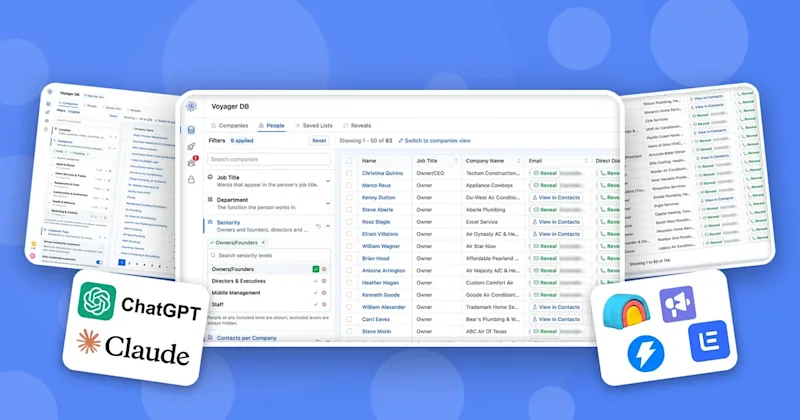
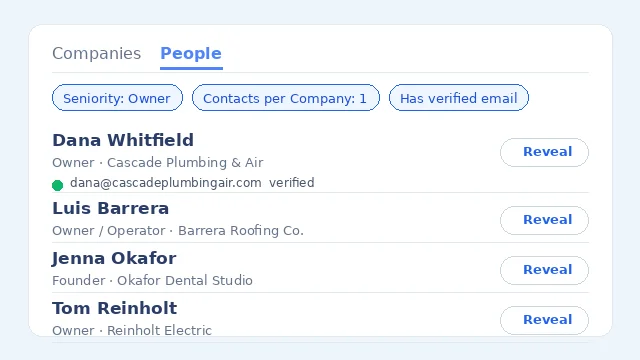
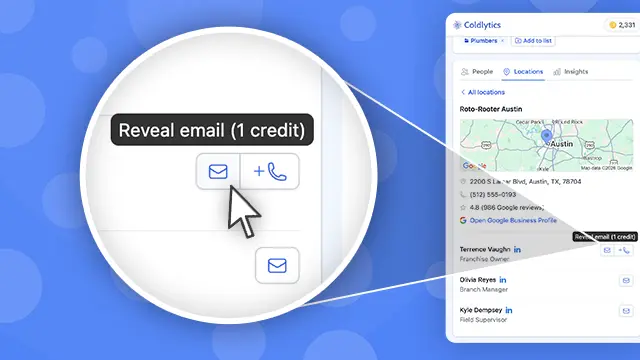
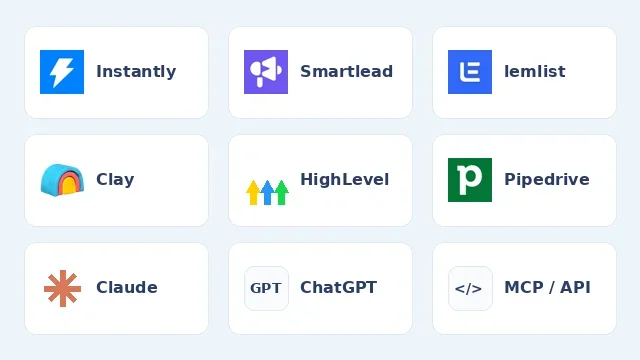
And because Coldlytics is an MCP server, you can use it straight from Claude or ChatGPT. Ask it to "find the owners of plumbing companies in Austin", then "reveal the top ten", and the verified contacts land in your Coldlytics account. The assistant asks before it spends any credits. (In ChatGPT, reveals and research launches need a Business or Enterprise workspace.)
How to set up your first agency workflow in 5 steps
1Step 1: Pick one boring, recurring job
Choose something you do every week that follows the same pattern: the Monday report, the new-lead research pack, the competitor check. Avoid anything that sends, posts or spends on day one.
2Step 2: Do it once with the assistant, by hand
Run the task in a normal conversation. Correct it as you go. Note every place it needed you: a login, a judgment call, a missing file.
3Step 3: Write down the rules
Turn what you learned into instructions: inputs, steps, how to check the result, what the output looks like and what always needs approval. In Grok Bot that becomes a skill. In ChatGPT it can become a workspace agent or a shared task.
4Step 4: Connect the right data
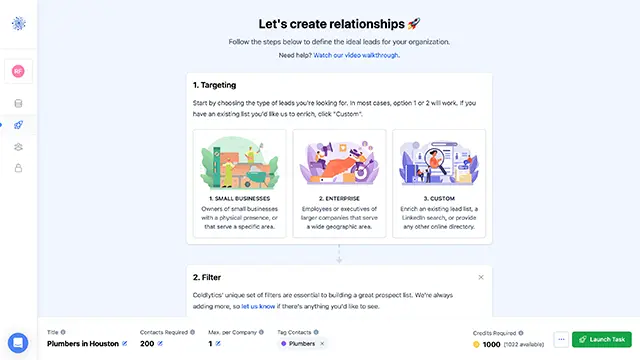
Give it access to the tools it actually needs and nothing more. For prospecting, that means a real source of local business data rather than a web search. For reporting, it means read-only access to the client's analytics.
5Step 5: Put it on a schedule and review the first few runs
Turn it into a routine or scheduled task. Read the first three or four outputs properly before you start skimming them. If a source is missing, the agent should tell you, not quietly use last week's data.
FAQ
What is the best AI assistant for a marketing agency?
For team workflows, Grok Bot and ChatGPT are the strongest of the four. Both run agents on their own cloud computers, both can run jobs on a schedule and both have team plans. Muse is worth testing if your clients live on Meta's apps and you're in the US. Instinct is a personal assistant for an owner's own admin.
Can AI assistants find leads for my agency?
They can search the web, but they struggle to build reliable lists of small local businesses with verified owner emails. You'll get better results by connecting an assistant to a lead database. Coldlytics works from Claude and ChatGPT through its MCP server.
How much do these AI assistants cost?
As of October 15, 2026: Grok Bot is included in The X Subscription from $30/month (Premium) and with paid Cursor plans. ChatGPT Business starts at $25 per user per month billed monthly. Muse is free with limits, or $20 and $100 a month for more usage. Instinct is free during its invite-only beta.
Should I let an AI agent send cold emails for my agency?
Let it research and draft, and keep a person on the send. The agent won't know when an email is a bad idea, and your sending domain is too valuable to risk. Our post on AI gatekeepers and cold email covers why relevance matters more than ever.
Do AI assistants replace agency staff?
Not in my experience. They take the repetitive work off your team's plate so people can spend more time on strategy, creative and client relationships, which is what clients actually pay for.
If you want your assistant working from better local business data, connect Coldlytics to Claude or ChatGPT and start with 25 free leads a month.
Need a targeted B2B contact list?
Tell us who you're after and our researchers hand-build it within 24 hours. 25 free leads a month, forever.
By signing up, I agree to Coldlytics' Terms of Service and Privacy Policy.